Turning 68% of Gold Portfolio Value Into Gold Lease with a Frictionless Buy Flow

Adding gold leasing, a product most people had never heard of, to a buy flow that already worked, and making the whole lease cycle easy to follow.
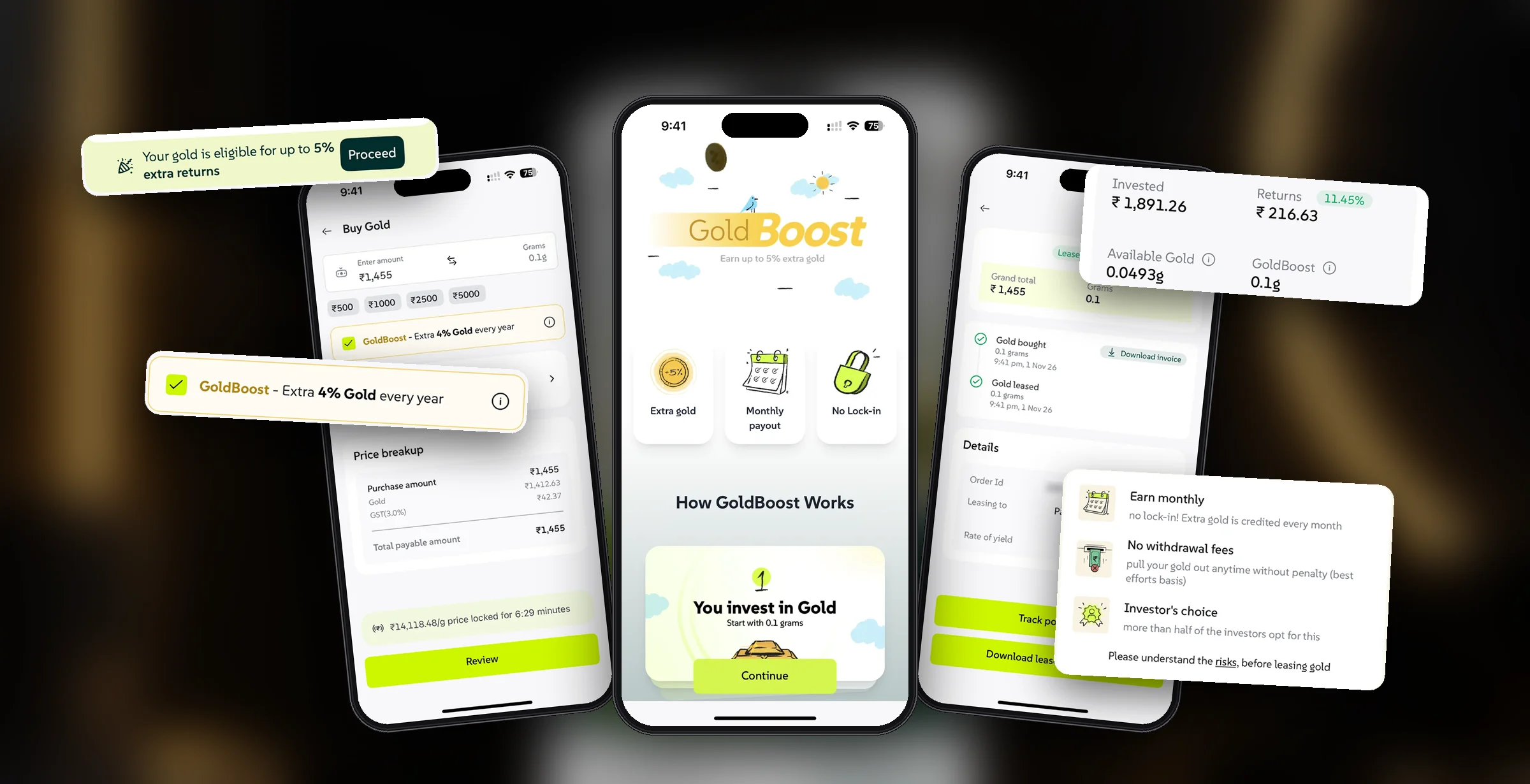
Add gold leasing to the buy flow, without slowing it down
After OneCard acquired Wizely, it became a gold-first app. Buying gold was live and converting well.
GoldBoost lets you lease that gold to a jeweller and earn 4–5% extra gold a year. No lock-in, but leased gold works differently from regular gold. That’s where the design work was.
Two kinds of gold, two ways out
Regular gold sells in a tap. Leased gold is with a jeweller, so you first end the lease, wait for it to come back, then sell.
Money from selling lands here
Uses your gold in their business, then returns it
Four questions, from the buy page to the sell button
Will it slow buying?
Any extra step in a working buy flow can cost conversions.
Will people get it?
"Lease your gold, earn more gold" is new to almost everyone.
Will they trust it?
Handing your gold to a jeweller sounds risky unless you know who has it.
Can they get out?
Leased gold can't be sold straight away. People need to know why, and what to do.
What we had to design within
From idea to handoff, with little room for formal research.
The buy flow was converting well, so nothing new could be mandatory.
The business wanted GoldBoost to reach as many buyers as possible.
Ending a lease takes time. Design couldn’t remove it, only explain it.
We set our goals, studied other gold apps, and mapped every step of a lease
Who buys gold, and what does everyone need?
2 buyer types, 3 goals Understand2Competitive analysisHow do other apps sell leasing?
What to copy, what to avoid Map3Lease lifecycle mapWhat states can gold be in?
5 states, one checklist Explore4Early iterationsHow loud should GoldBoost be?
3 versions, 1 shipped Decide5Insights to ideasSo what do we build?
A list of decisionsNo screen ships without its pending and error states. We design for the wait, the failed payment and the lost connection, not just the happy path.
Two kinds of buyers, one way to pitch it
From early research for the Wizely app itself: people buy gold for two reasons, to park money safely or to gift and build a stash. We used it to shape GoldBoost’s copy.

Want a safe place to park money. For them, we led with the extra 4–5% and no lock-in.
Want to gift gold or build a stash. For them, we led with their gold quietly growing.
- Understand GoldBoost in seconds
- Skip it easily if it’s not for them
- Always know how to get the gold back
- Drive adoption of GoldBoost
- Don’t hurt gold purchases
- Grow gold held on Wizely
- Fit into the buy flow without a new step
- Make leased gold visibly different everywhere
- Explain every wait before it happens
How other gold apps sold and explained leasing
We looked at how three gold apps offered leasing: where it showed up, how it was explained, whether you could see who had your gold, and how clear the way out was.
| Leasing inside the buy flow | Explained simply | Shows the jeweller | Clear how to exit | |
|---|---|---|---|---|
| GullakGold+ | ✕ opt in after buying | Partly · “up to 16%” mixes gold’s price rise with lease income | ✓ named, with a default pick | ✕ depends on the lease terms |
| SafeGoldGAINS | ✕ separate, for existing gold | Partly · explained in an FAQ | ✓ you choose a jeweller’s lease | Partly · clear, but 3–6 month lock-in |
| NeoFinityNeoVault | Partly · built into the gold account | Partly · “extra 5%”, few details | Partly · named in launch news | ✓ no lock-in, instant withdrawal |
| WizelyGoldBoost | ✓ one checkbox while buying | ✓ story cards and a calculator | ✓ named before paying | ✓ end anytime, 3–4 days |
Naming the jeweller (Gullak, SafeGold) and no lock-in (NeoVault).
Headline returns that blend gold’s price rise with lease income, leasing as a separate product, and unclear exits.
Based on public product information and coverage of each app.
Gold can be in five states. Each one needed its own screen and words.
Before any screens, I listed every state a gram of gold can be in and what the user can do in each. It became the checklist for every screen and message.
Just bought. A security hold before it can be sold.
In your vault. Sell it, or lease it to earn more.
With the jeweller, earning extra gold every month.
Lease ended. The jeweller is returning your gold.
A payment or lease that didn’t go through. It can happen at any step, so it stays in your history, marked clearly, with the reason and what to try next.
Three versions of the checkbox before the one that shipped
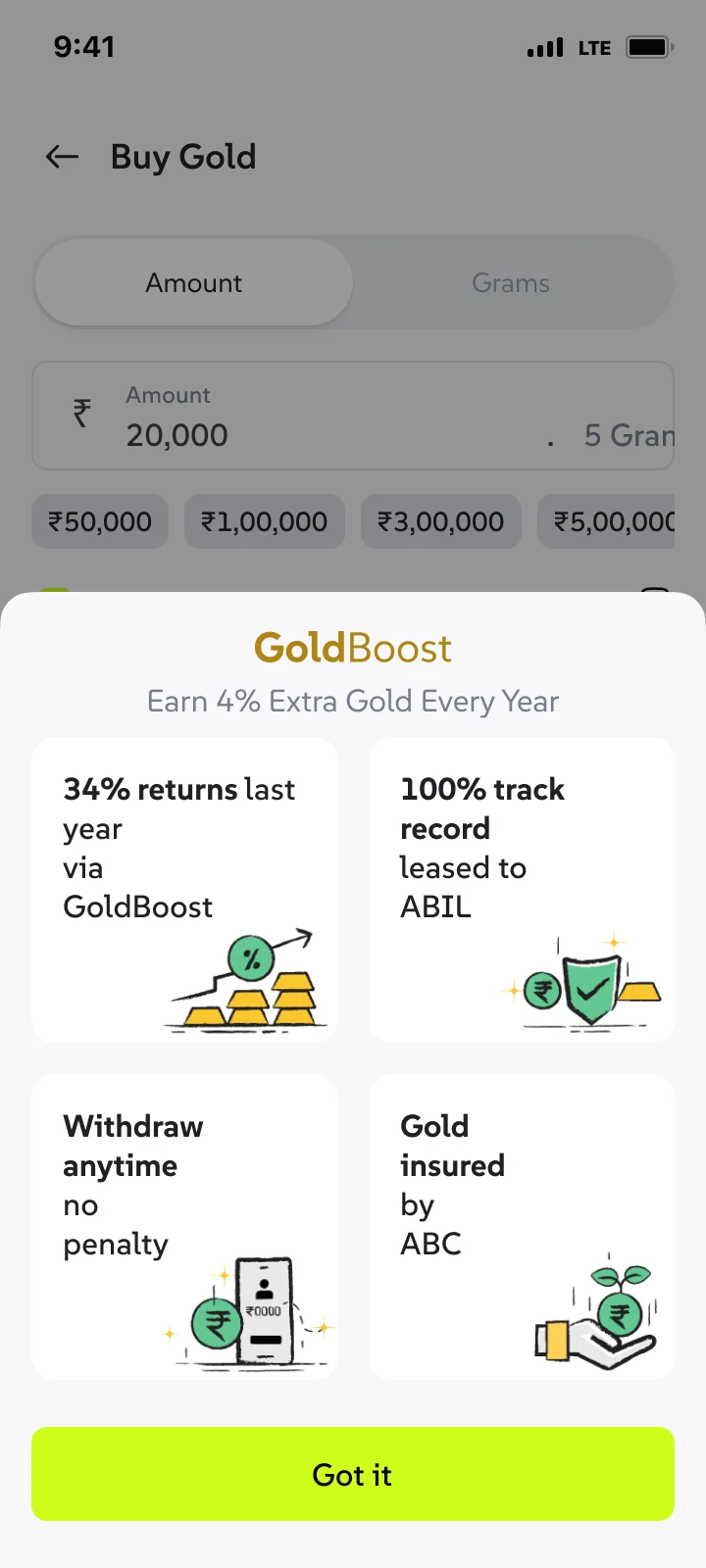
The question: how loud should GoldBoost be? Loud enough to notice, quiet enough not to block buying.
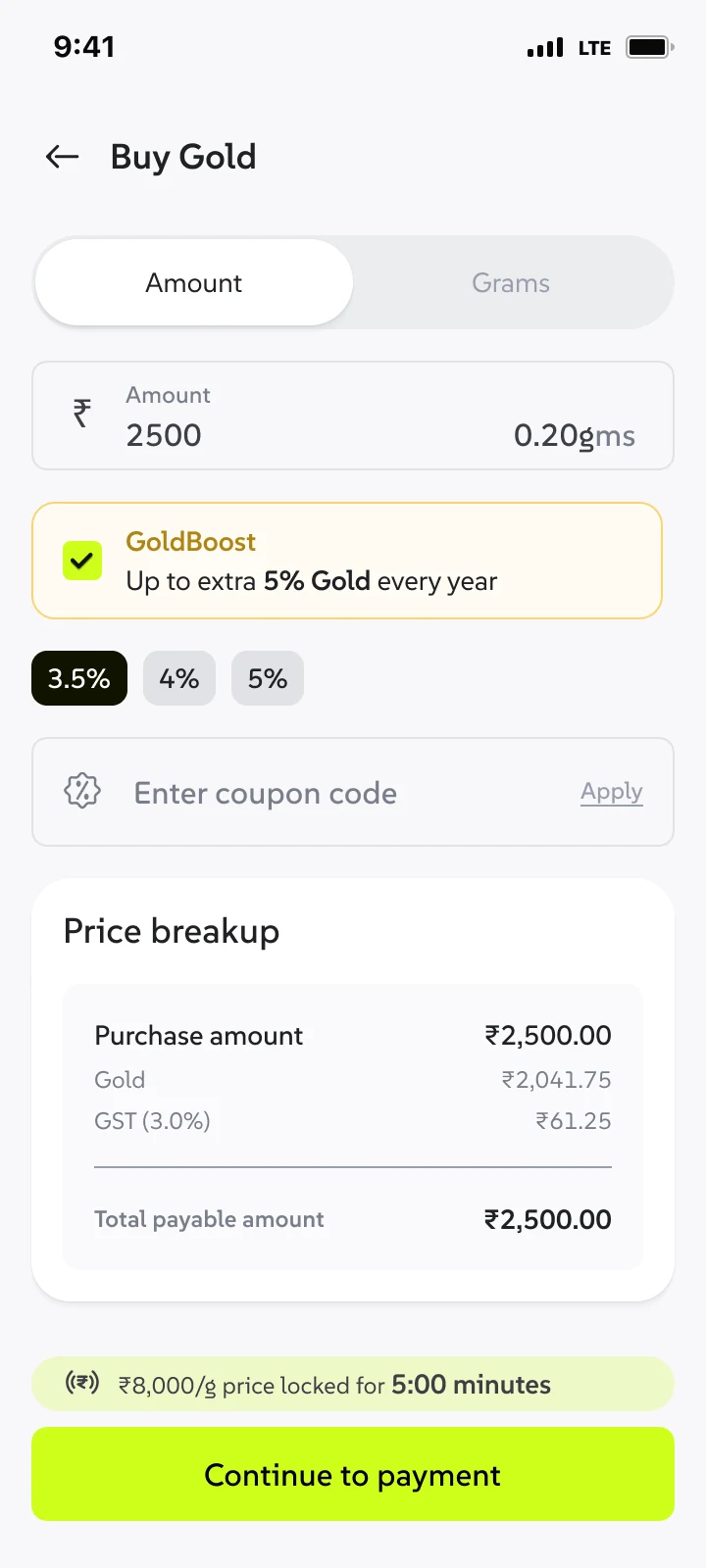 1
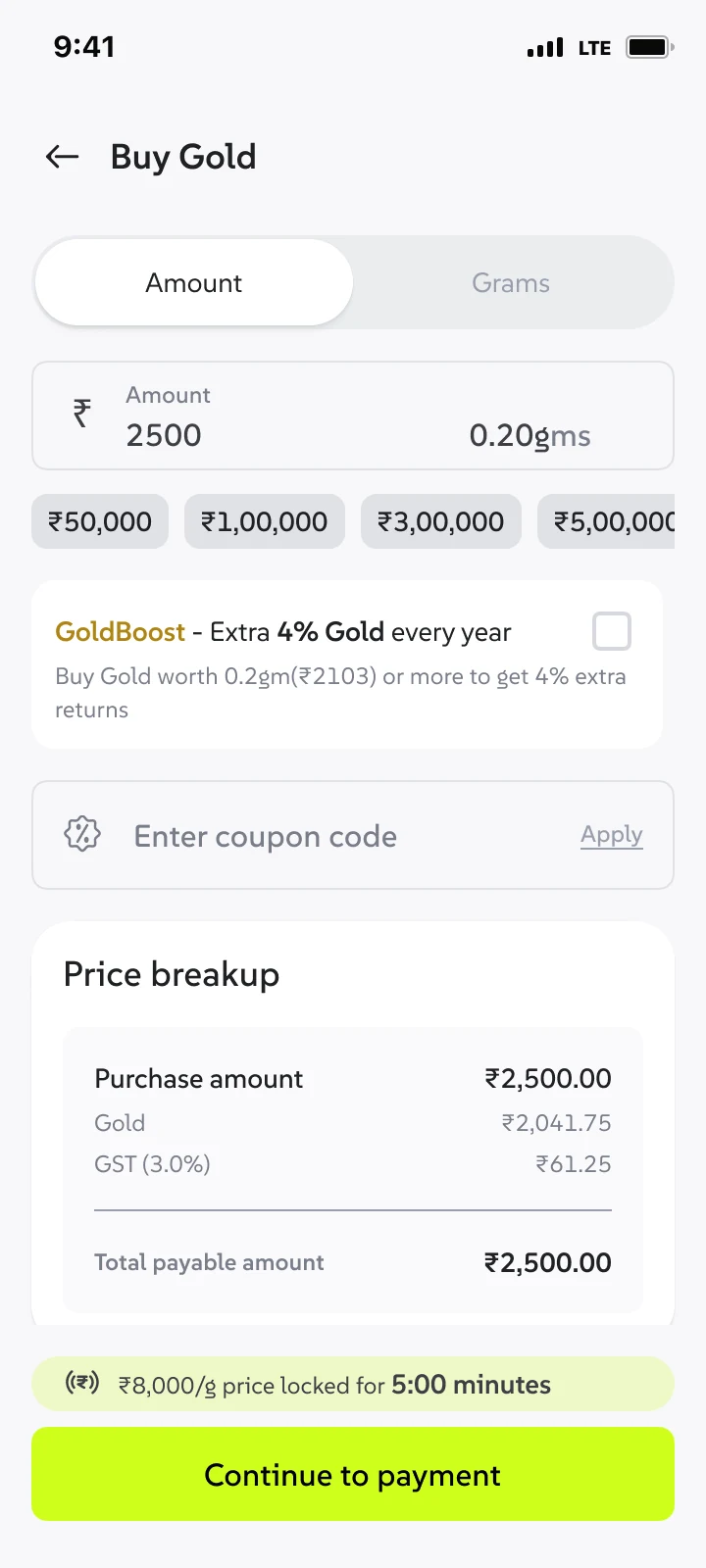 2
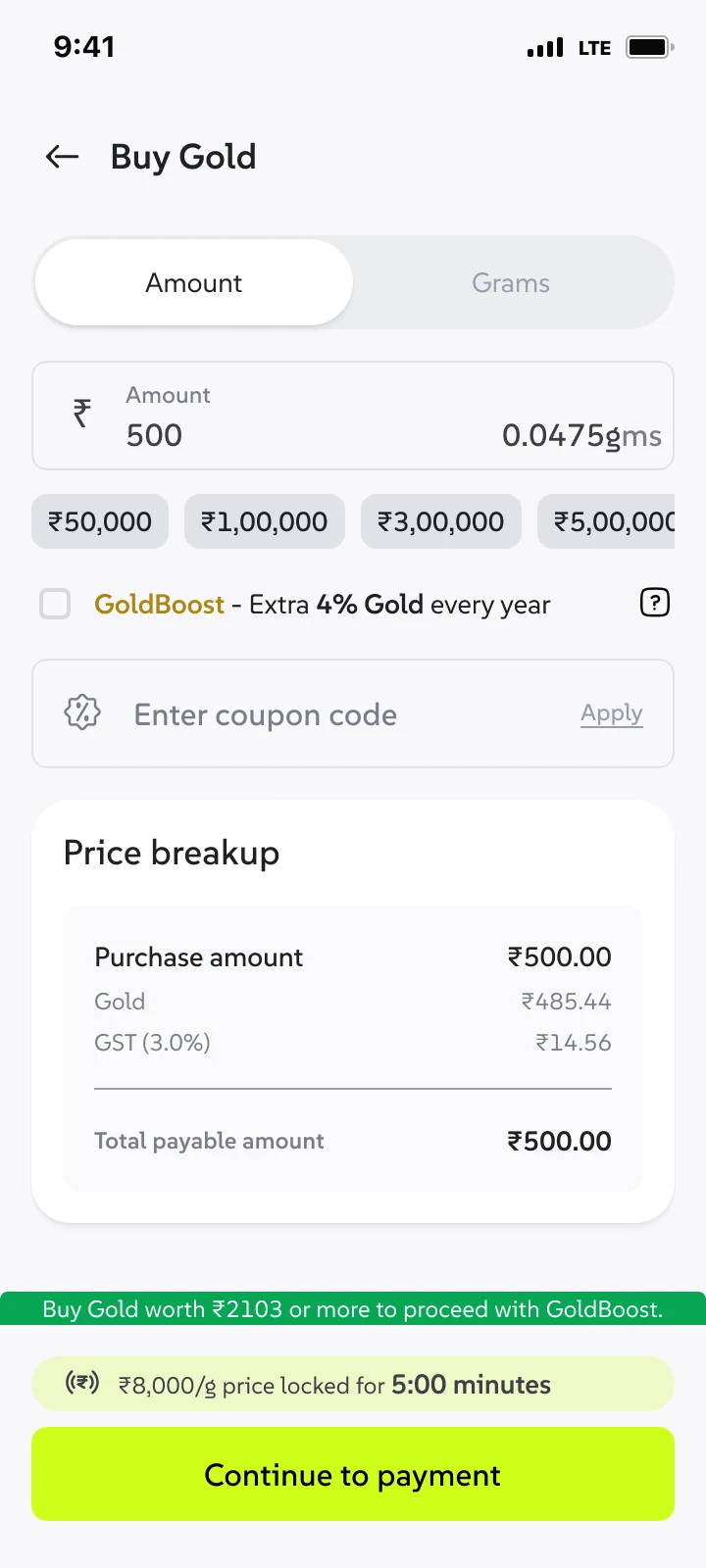 3
 4
One line, ticked by default. Below the minimum it unticks itself and shows the minimum right there, before you tap anything.
See it in the buy flow ↓What we learned, and what we built from it
A new step would slow down a flow that already works
One checkbox on the buy page, not a new screen
A rate picker felt like a decision people didn’t need to make
One rate, shown as the floor: “extra 4% gold every year”
"Lend your gold" feels risky to a stranger
Name the jeweller before paying, with a lease agreement after
People who already own gold miss out on returns
A nudge on Home to lease gold you already own, with a slider
Leased gold looks like money you can't touch
Split every balance into Available and GoldBoost
Ending a lease isn't instant, and silence feels like loss
Say "3–4 working days" at every step, and track it as a transaction
"Why can't I sell all my gold?" is the first question
Show "sellable gold" on the sell screen, with the reason
A small checkbox, not a new step
GoldBoost sits on the buy page as one checkbox with the benefit right next to it. No new screen, and nothing to read before buying.
GoldBoost is on, with “extra 4% gold every year” right beside it. Don’t want it? Untick it. Nothing else on the page changes.
 Below 0.1 g (₹1,455), the box unticks itself and shows the minimum, instead of failing at payment.
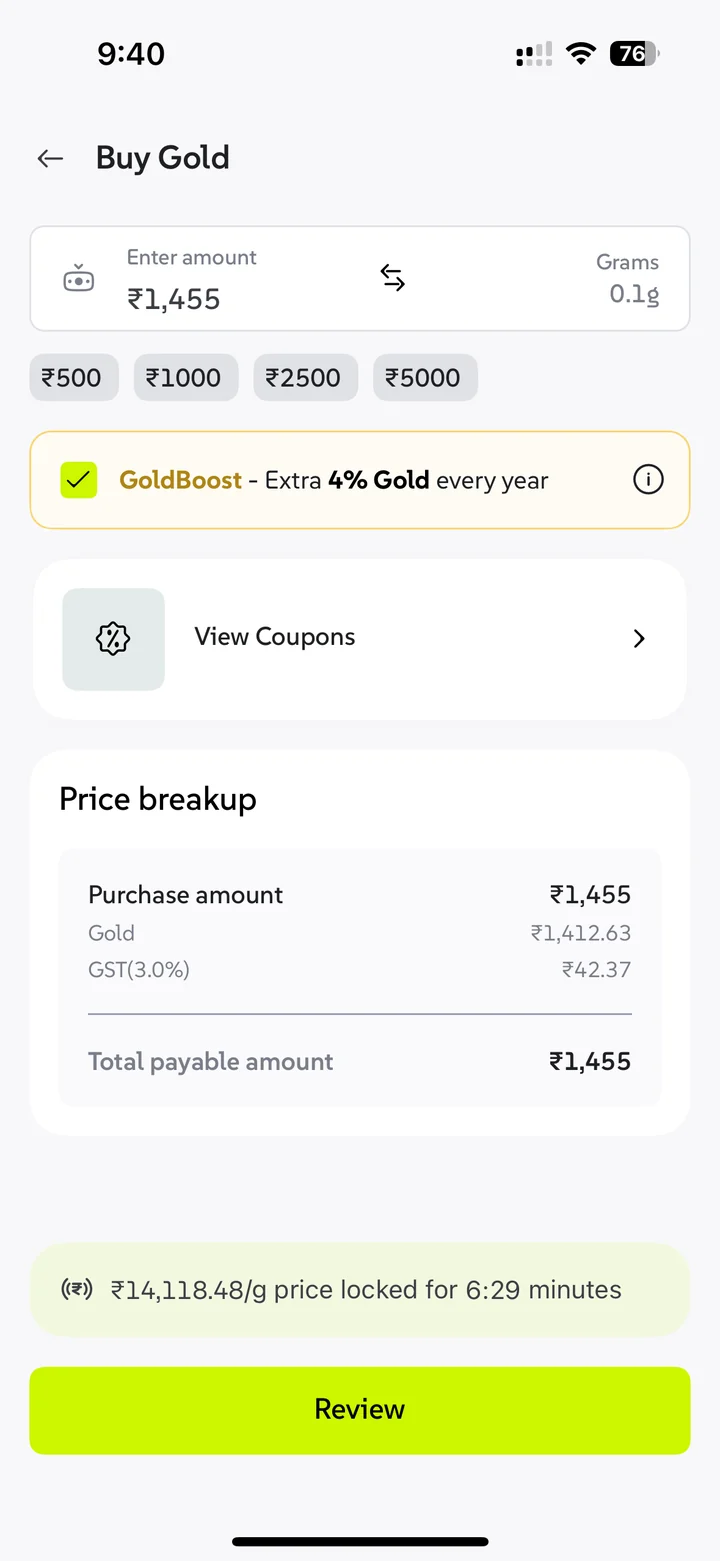
The business chose to tick the box by default. I flagged it as a dark pattern. It stayed, so I focused on keeping it honest:
- The benefit is always visible next to the box, so people know what they’re agreeing to
- Untick it anytime before paying, with no extra steps
- The jeweller is named on the review screen, before any money moves
- No lock-in: end the lease anytime, and the gold comes back
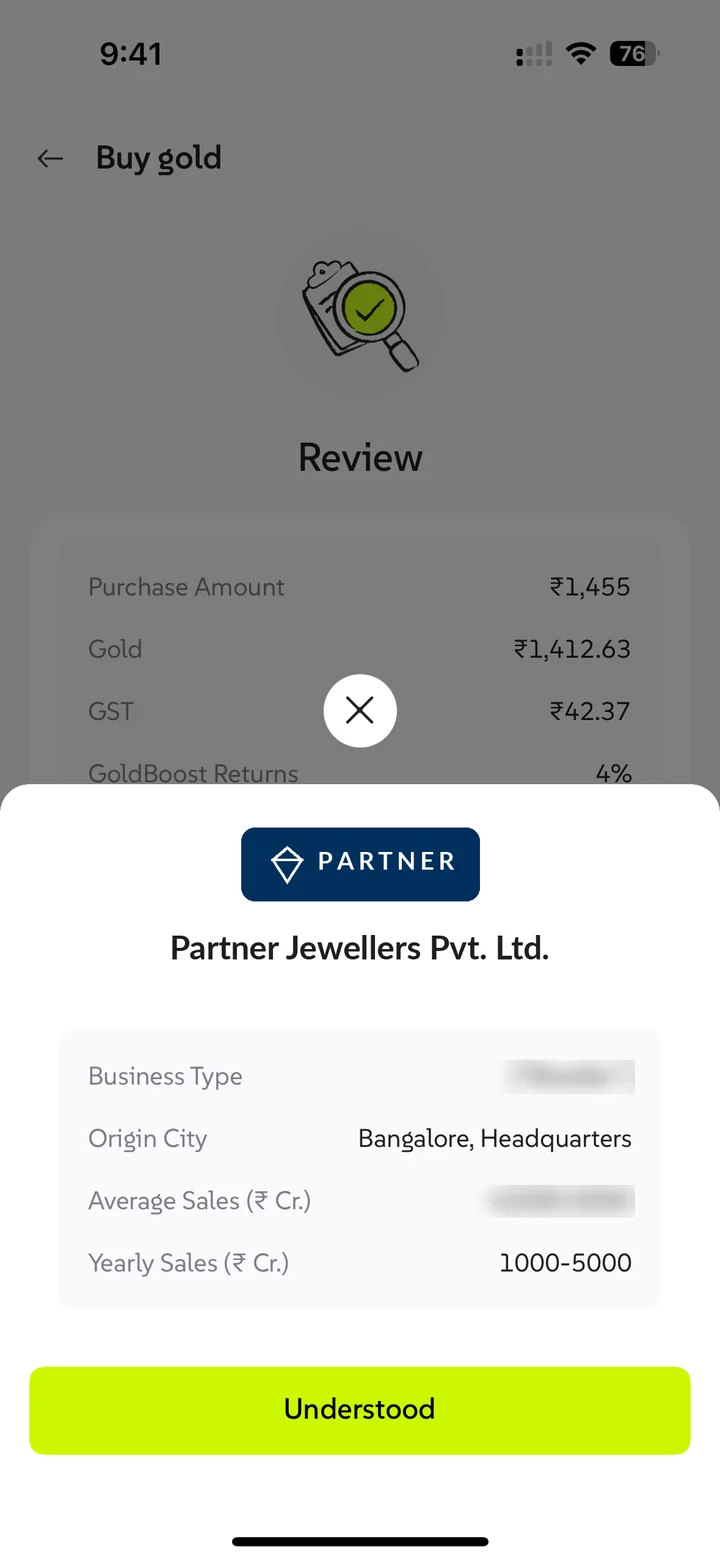
Name the jeweller before people pay
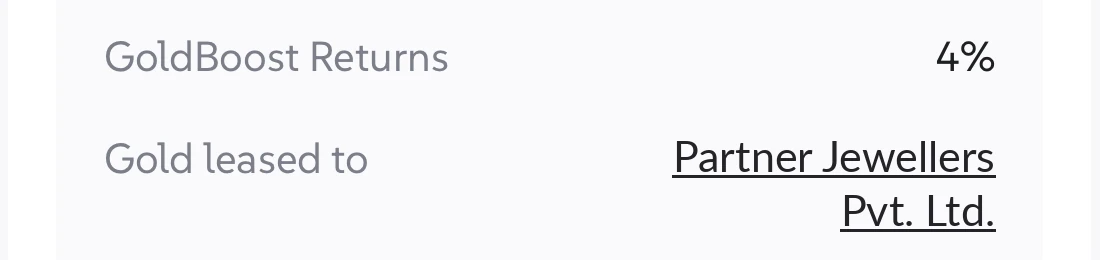
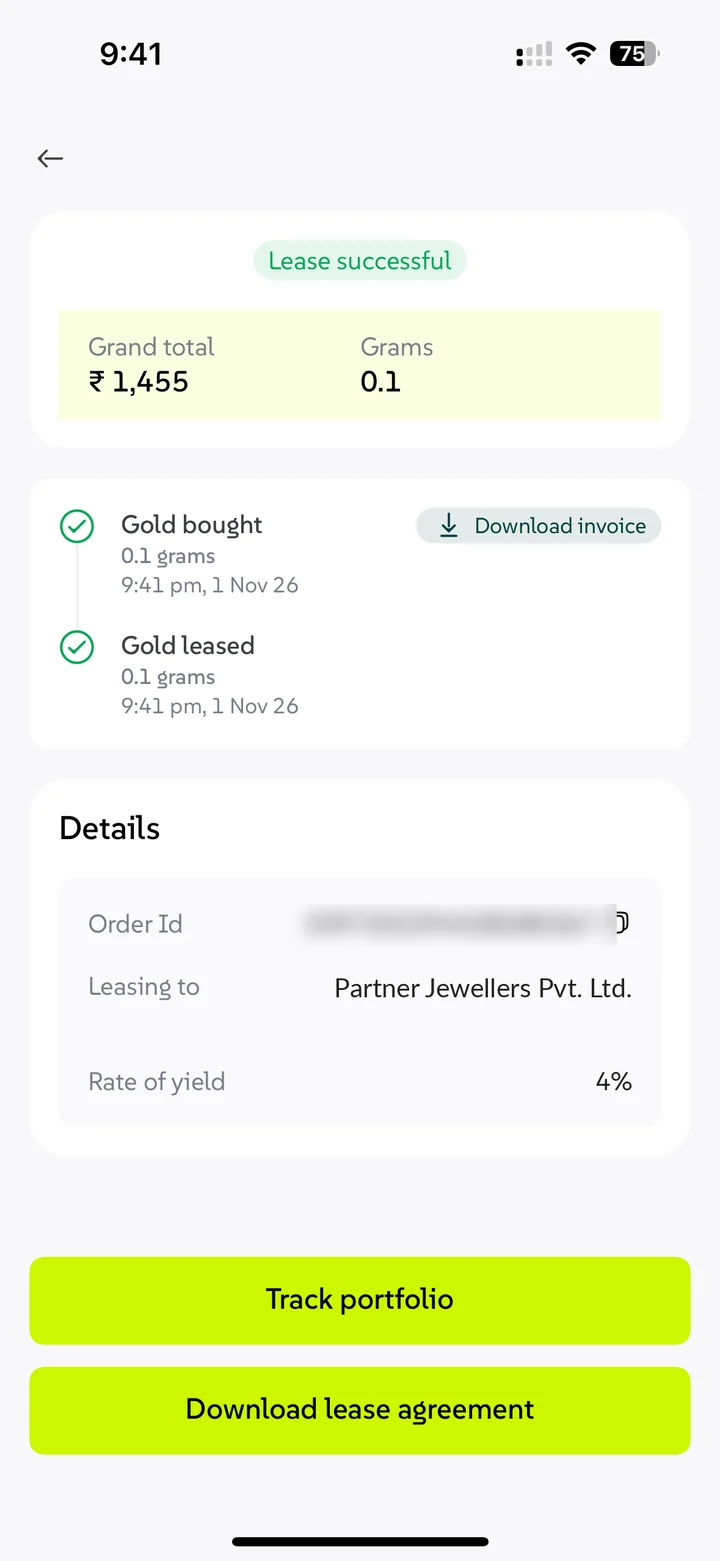
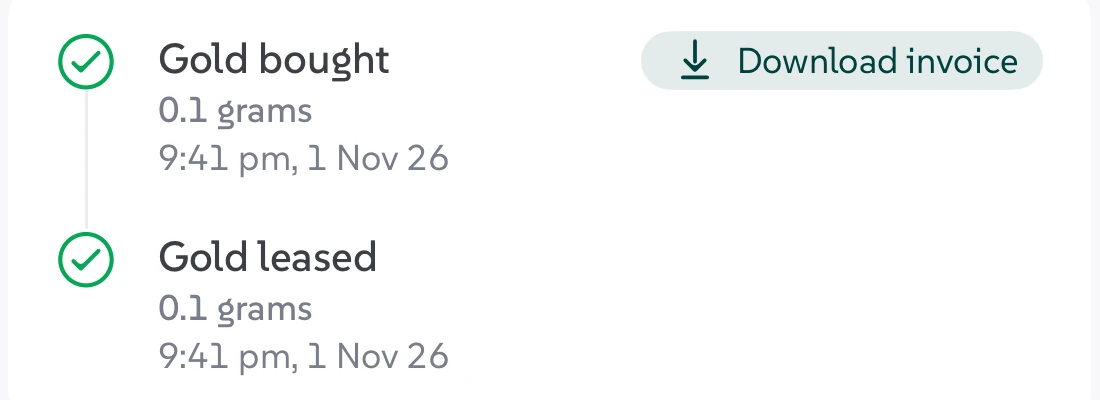
The review screen names the jeweller your gold goes to, with their profile one tap away. After paying, a timeline shows gold bought, then leased, plus the lease agreement.
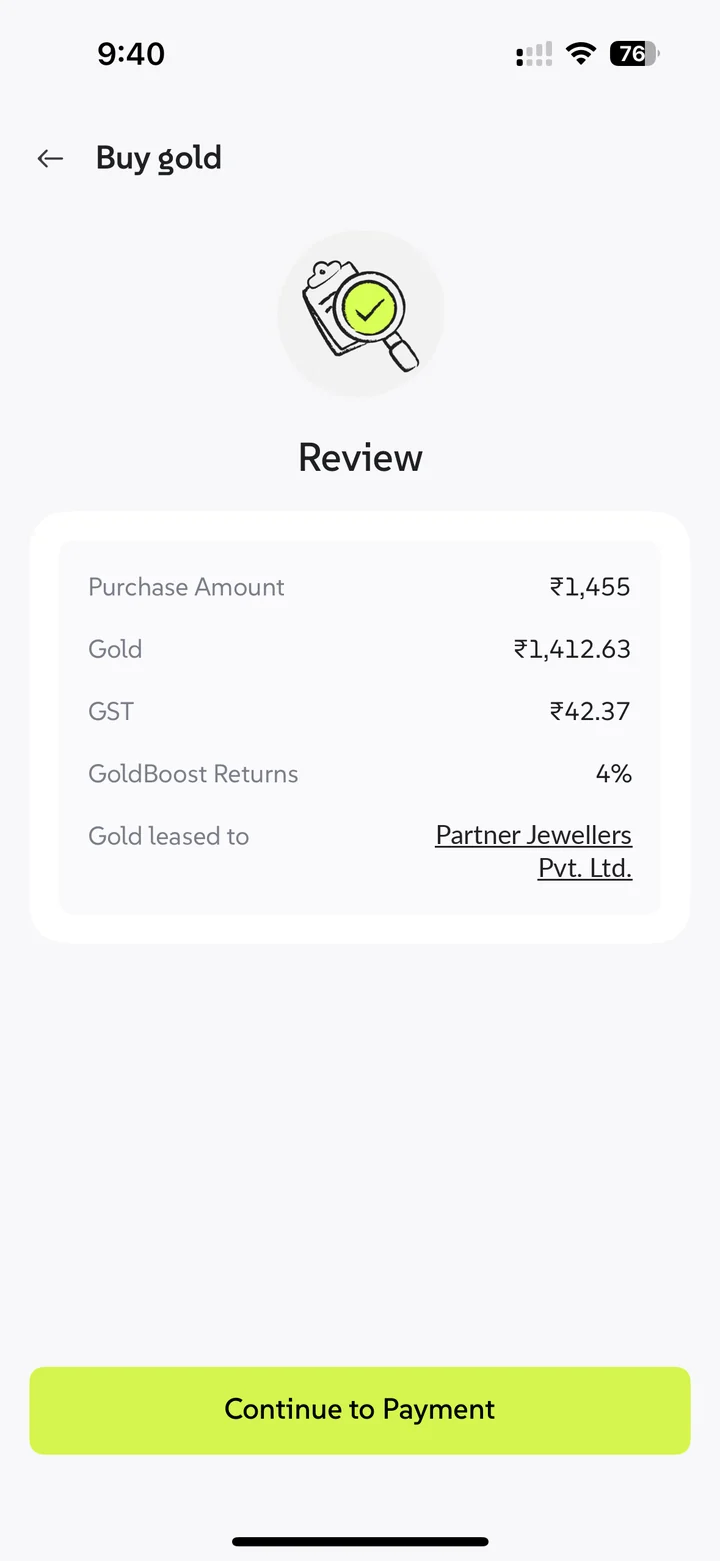
Two steps, both ticked: gold bought, gold leased. The lease agreement is one tap away.
The jeweller’s name and logo are changed here for confidentiality.
One page that explains GoldBoost, then lets you check the maths
The ⓘ opens an explainer in four layers, one per kind of doubt. Try it below; it works like the app.
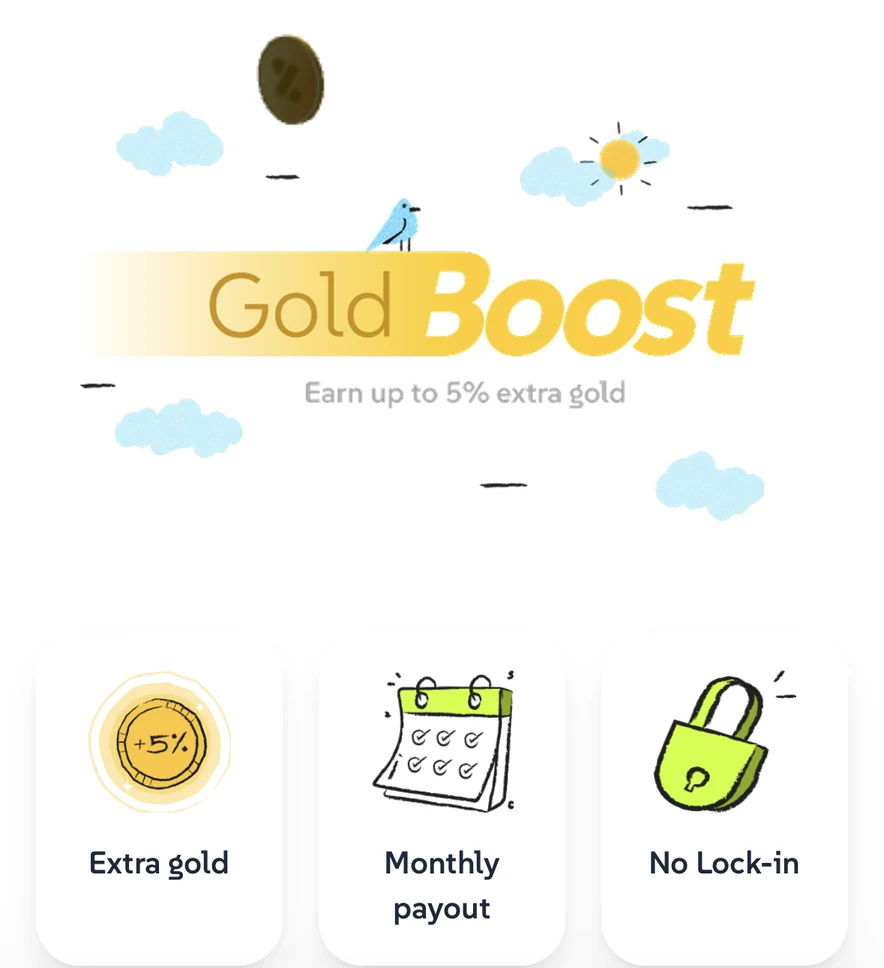
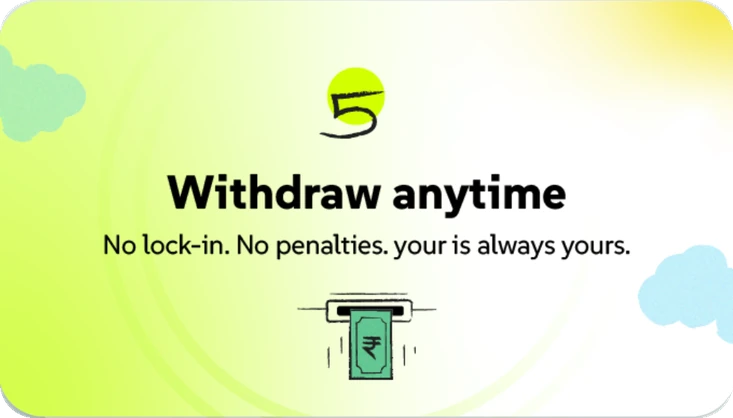
How GoldBoost Works
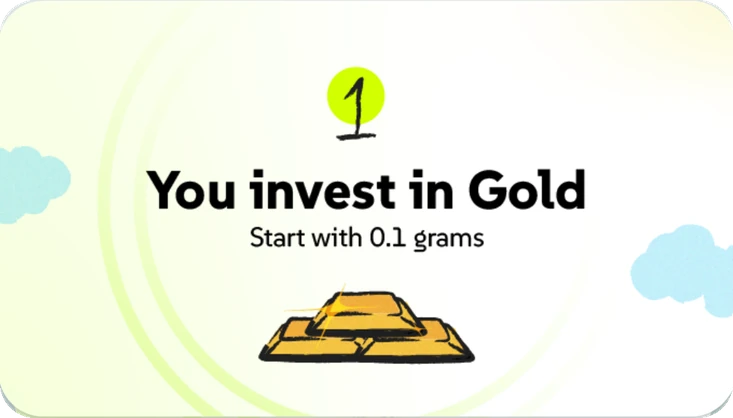
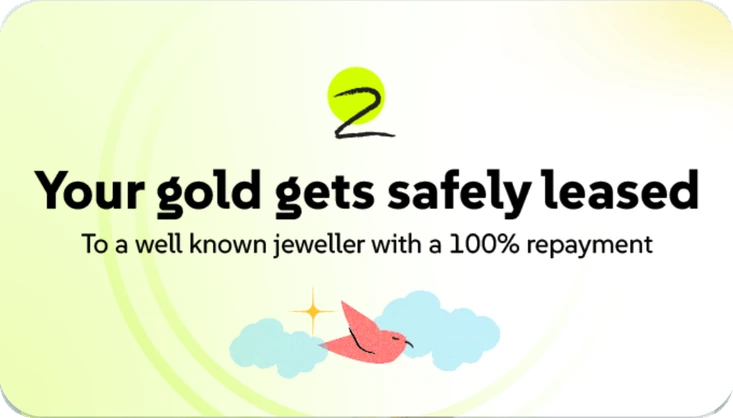
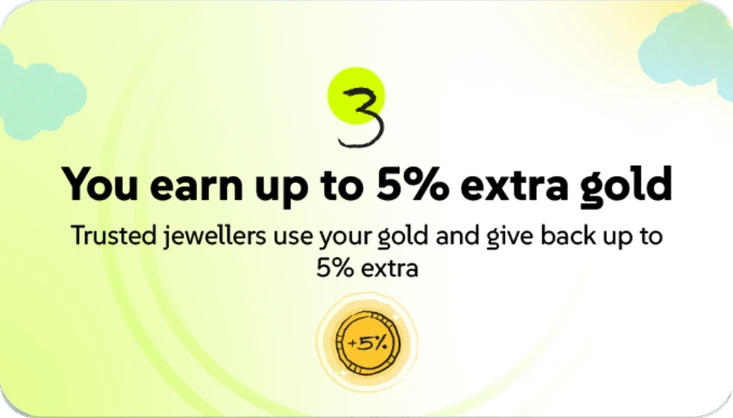
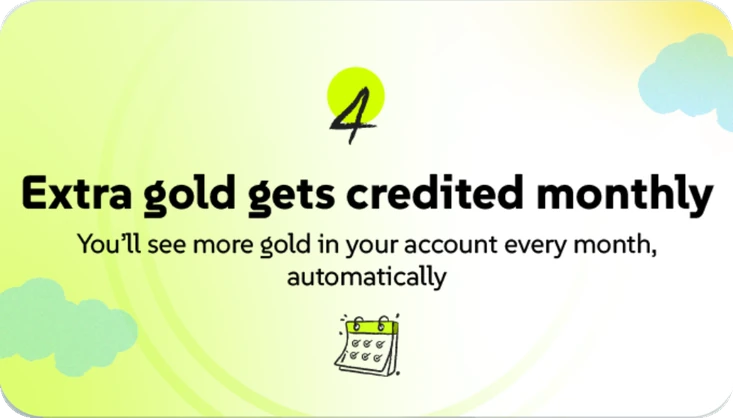
 Swipe
Compare your returns
| GoldBoost | Physical |
|---|
Swipe left to compare all options →
FAQ
Please understand the Terms & Conditions and Risks involved in gold leasing.
Extra gold, monthly payout, no lock-in: the three things people ask first, before a word of explanation.
Five cards, one idea each. The next cards peek out behind and the stack nudges left, so people know to swipe.
Compare GoldBoost with physical gold and gold ETFs, down to taxes and post-tax value. The layer for practical buyers.
The questions that stop people, and links to the terms and the risks of leasing, right where they decide.
Interactive recreation of the live screen. The numbers match the app at ₹5 L over 5 years.
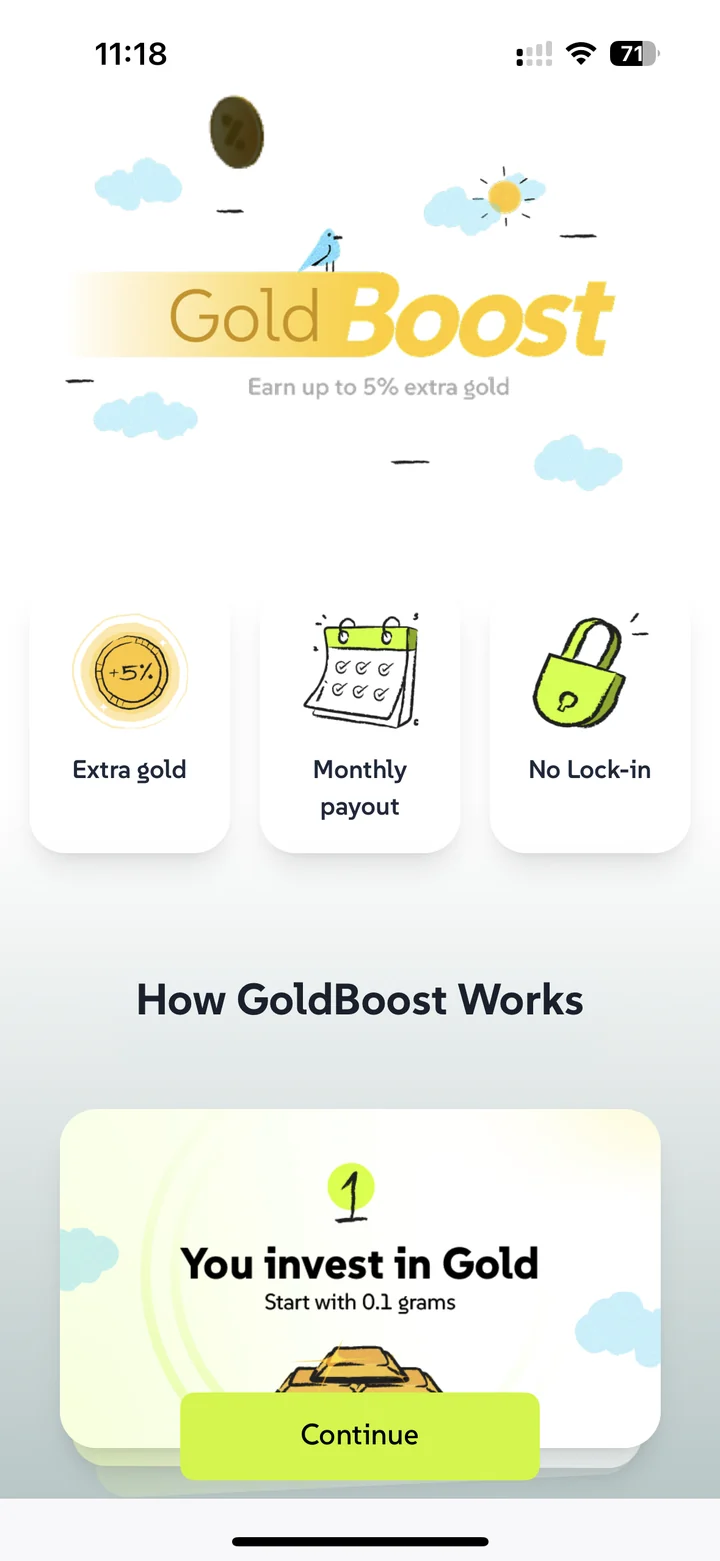
1Benefits first, then the story
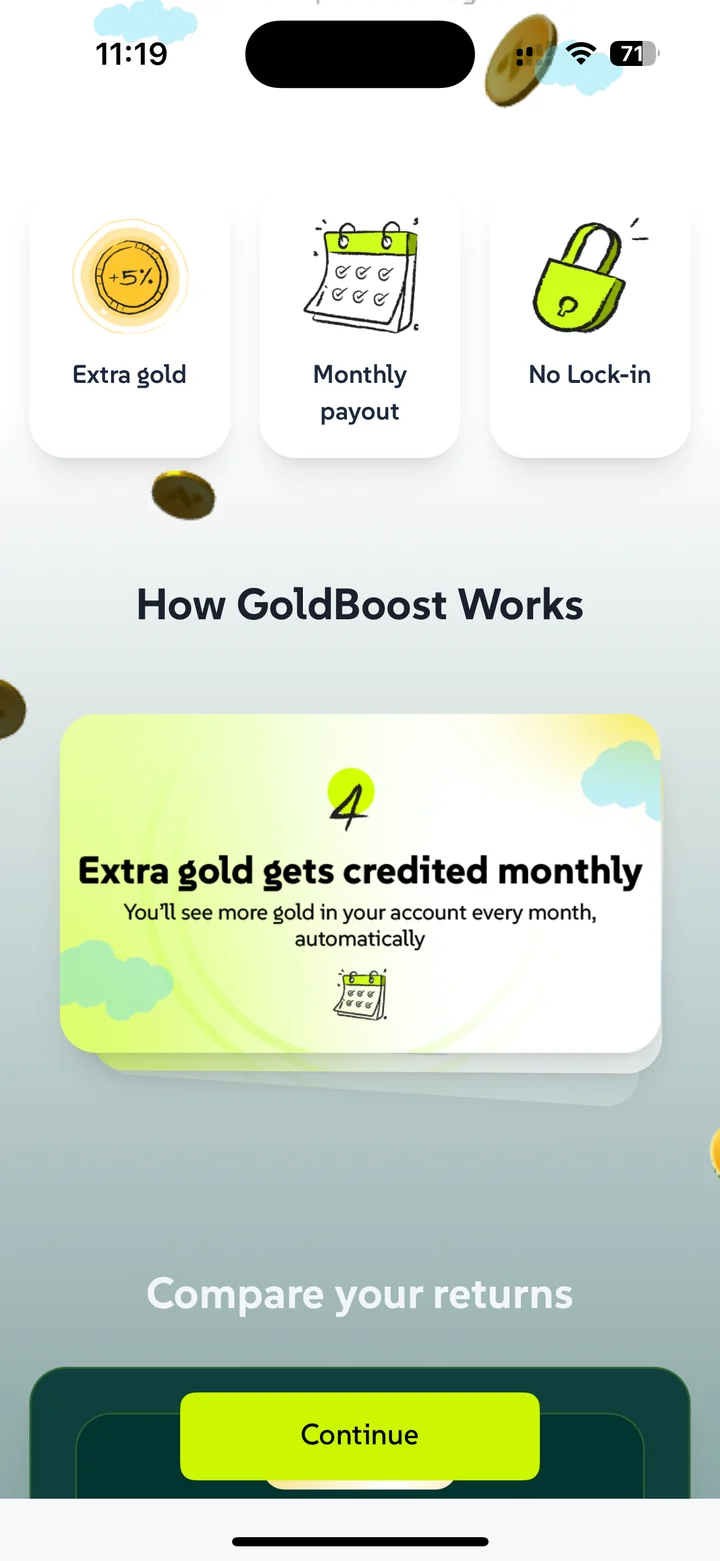
2Story card 4 of 5
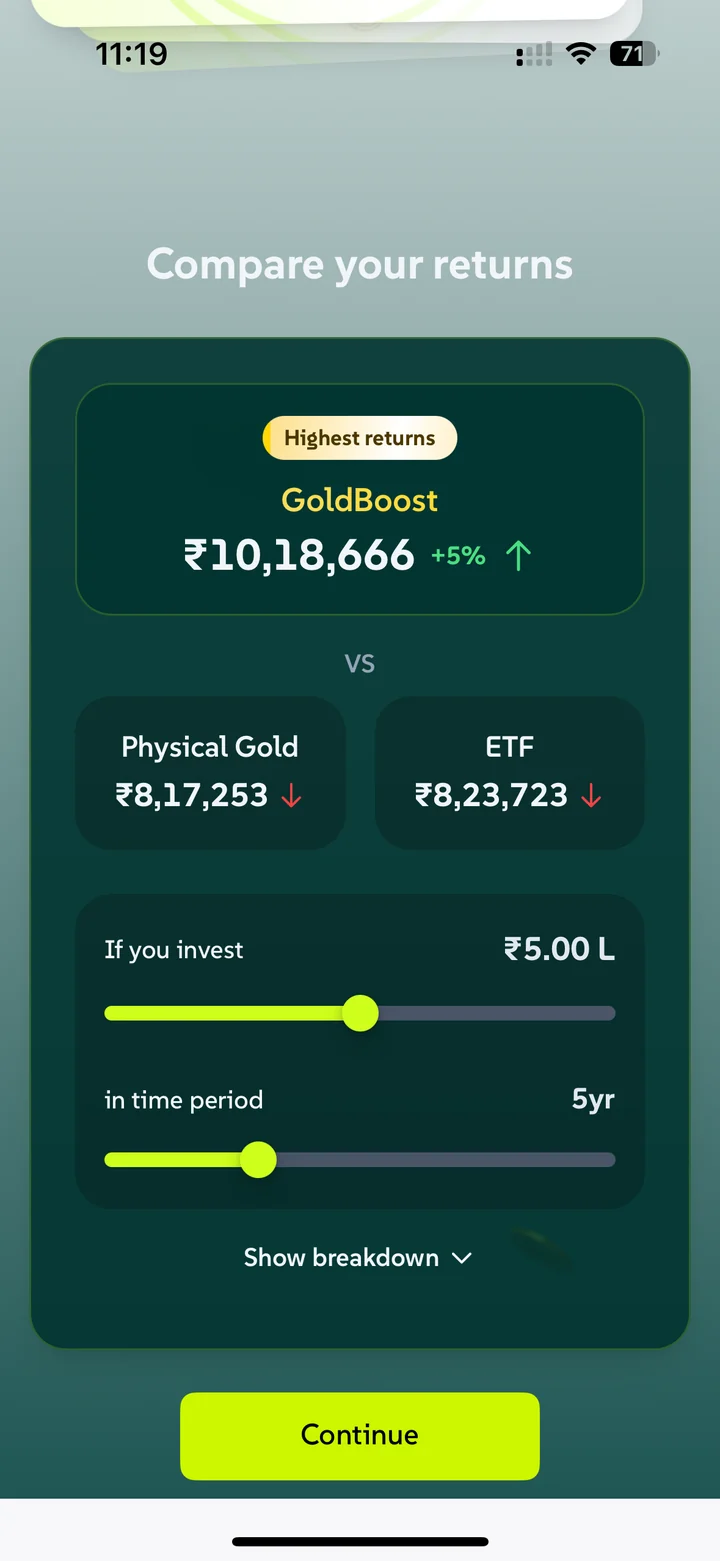
3Compare returns
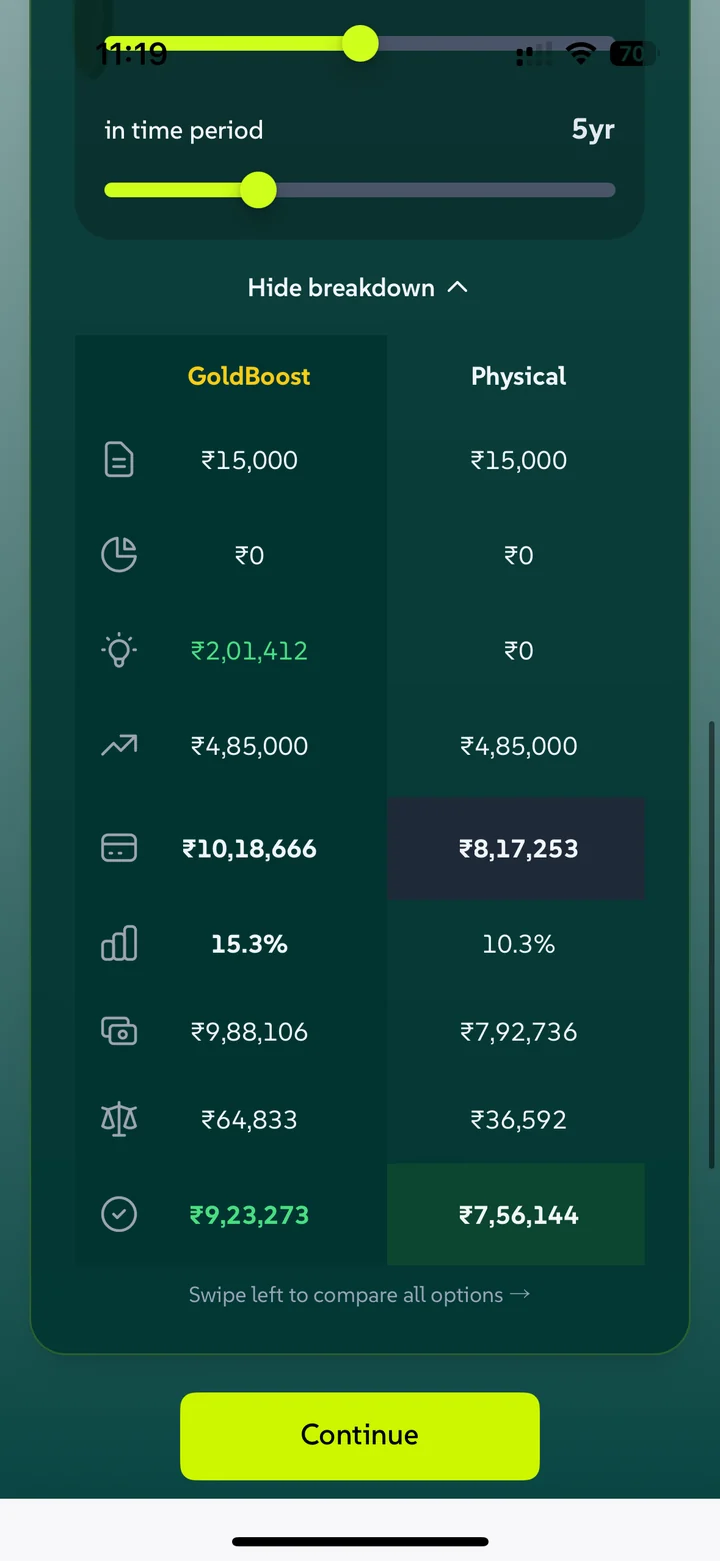
4Breakdown, swiped to compare
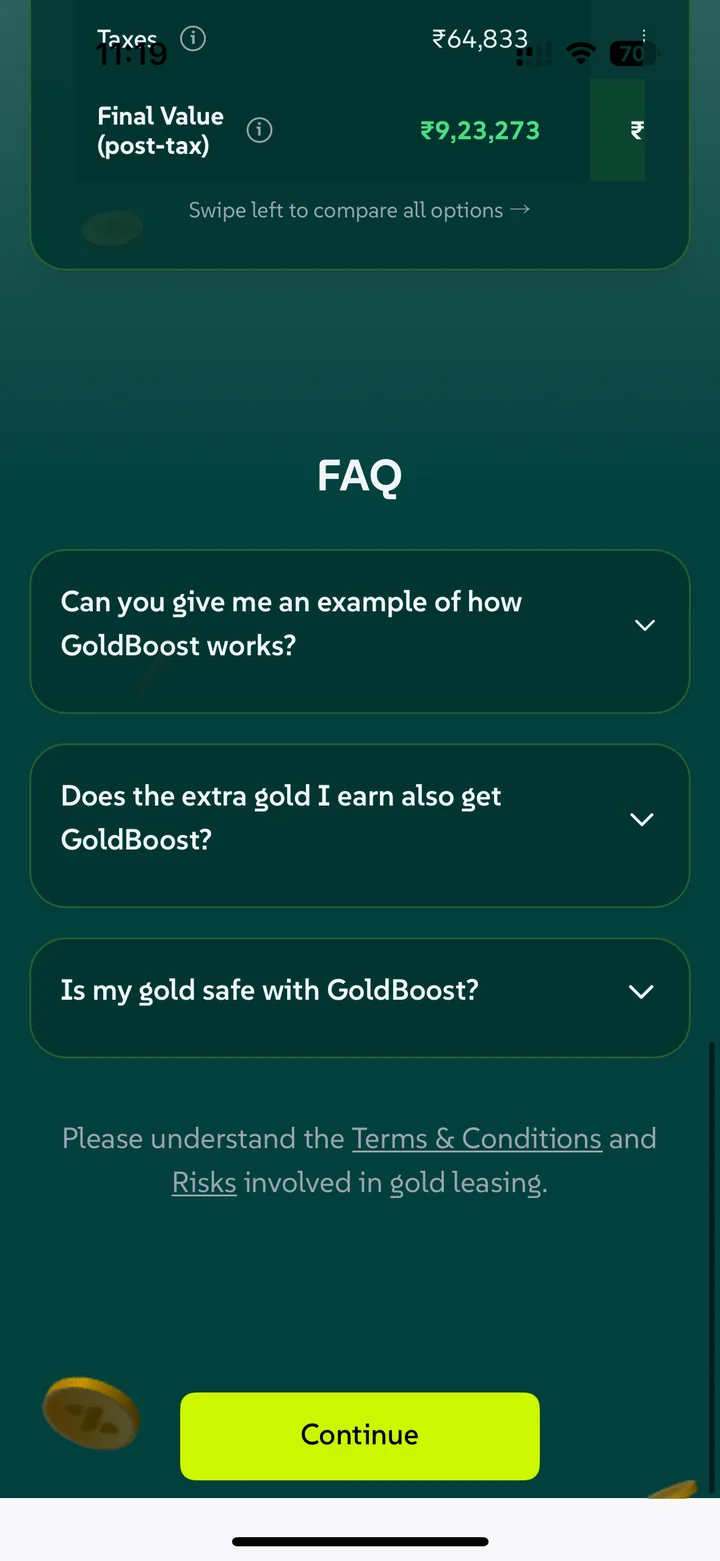
5FAQ, terms and risks
Live app screens
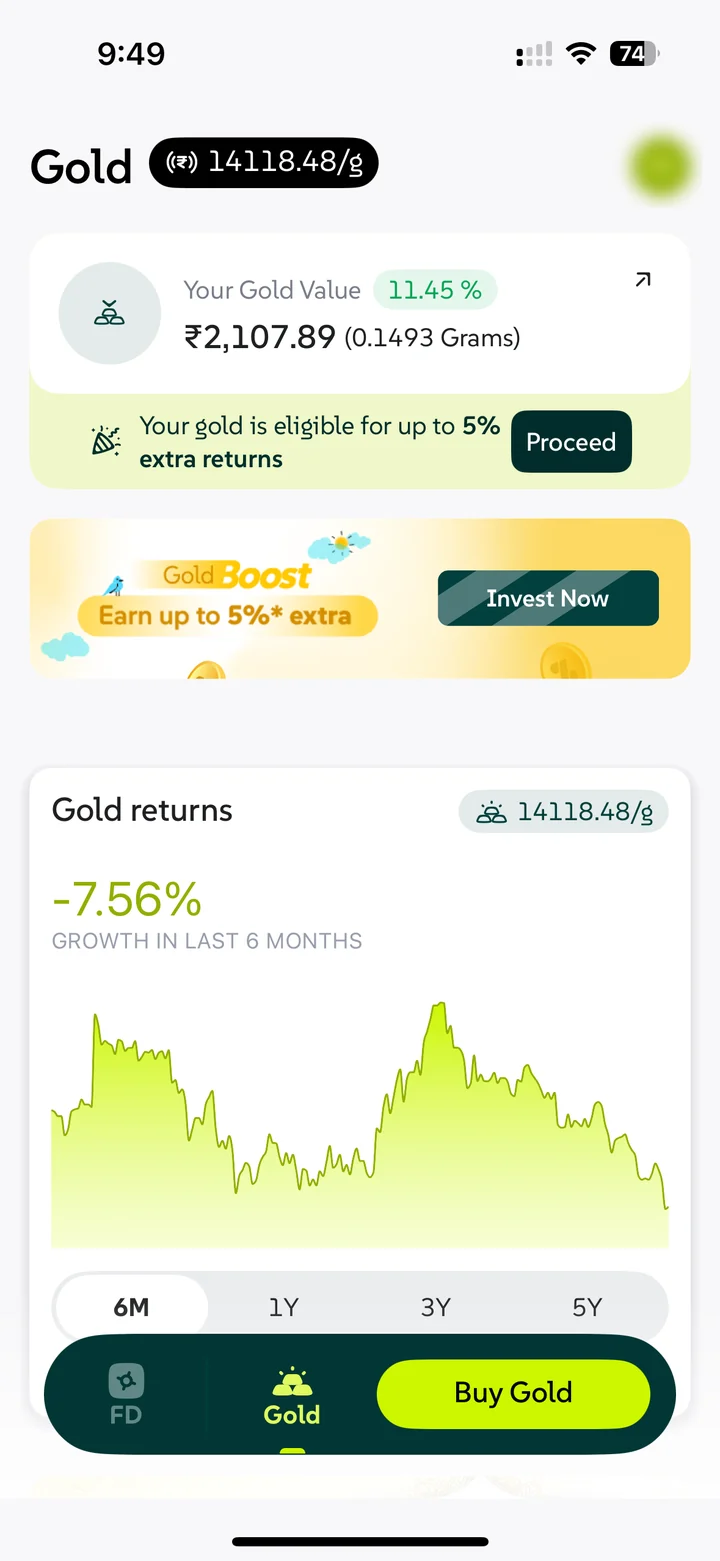
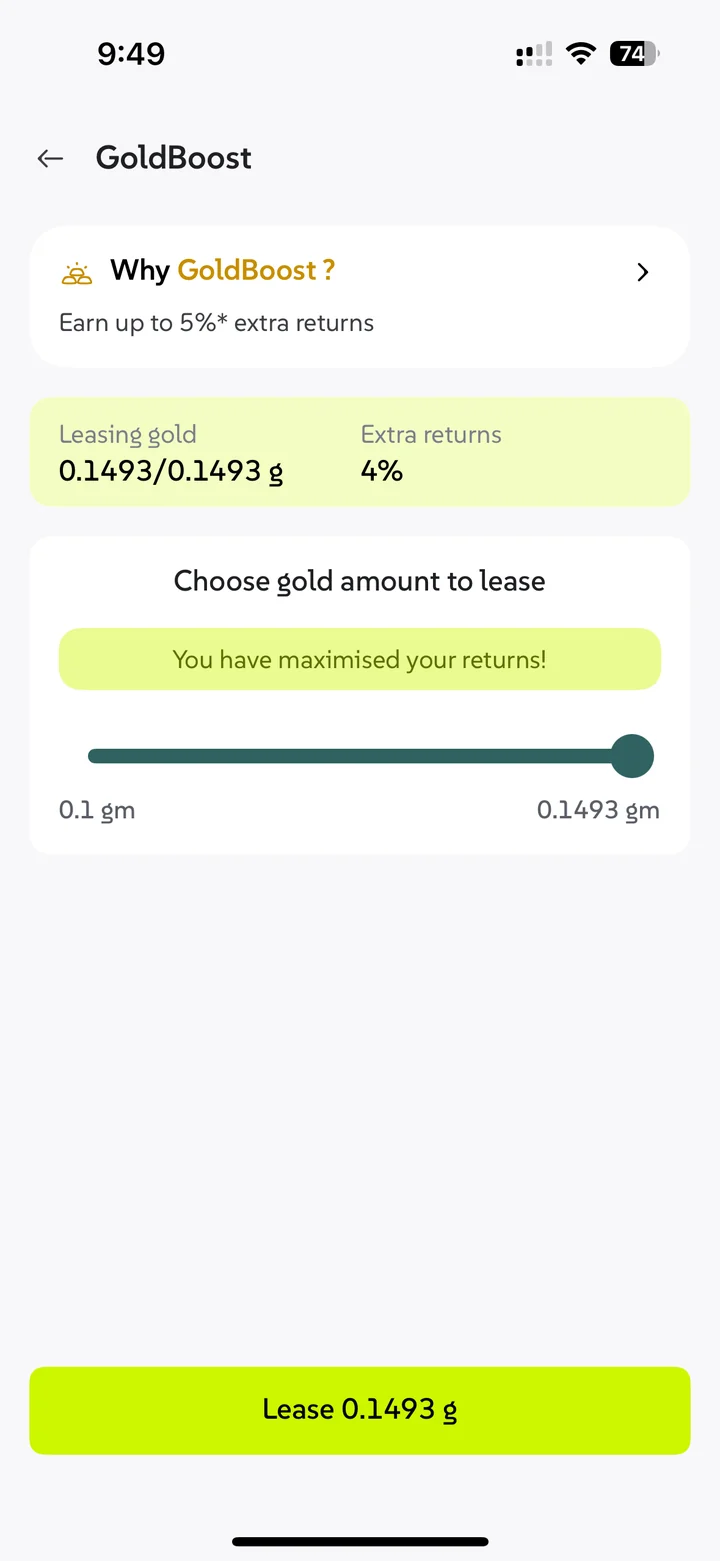
Let people lease the gold already sitting in their account
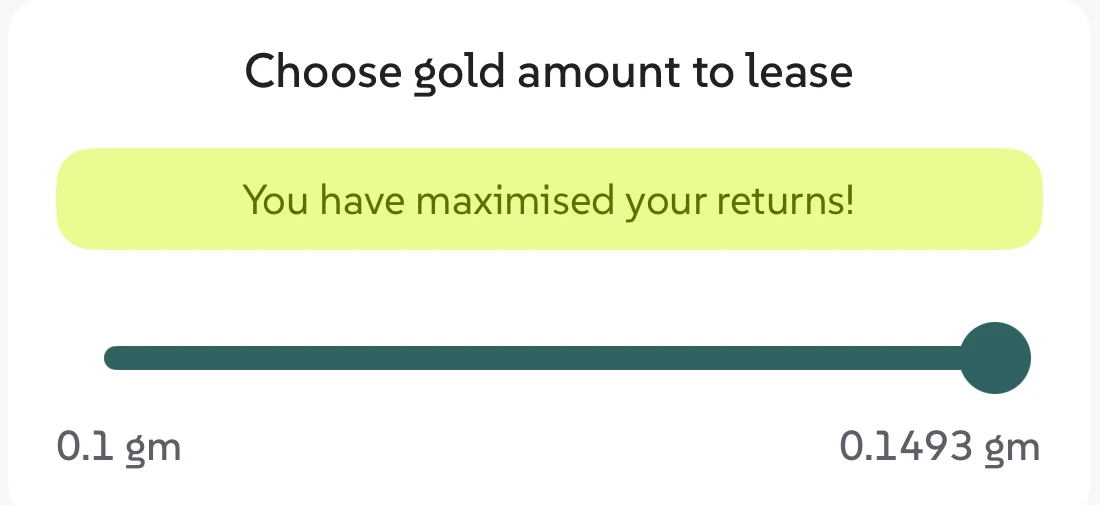
Many users owned gold before GoldBoost existed. A Home nudge tells them they’re eligible, and a slider picks how much to lease.

After buying, the portfolio is home base for leased gold
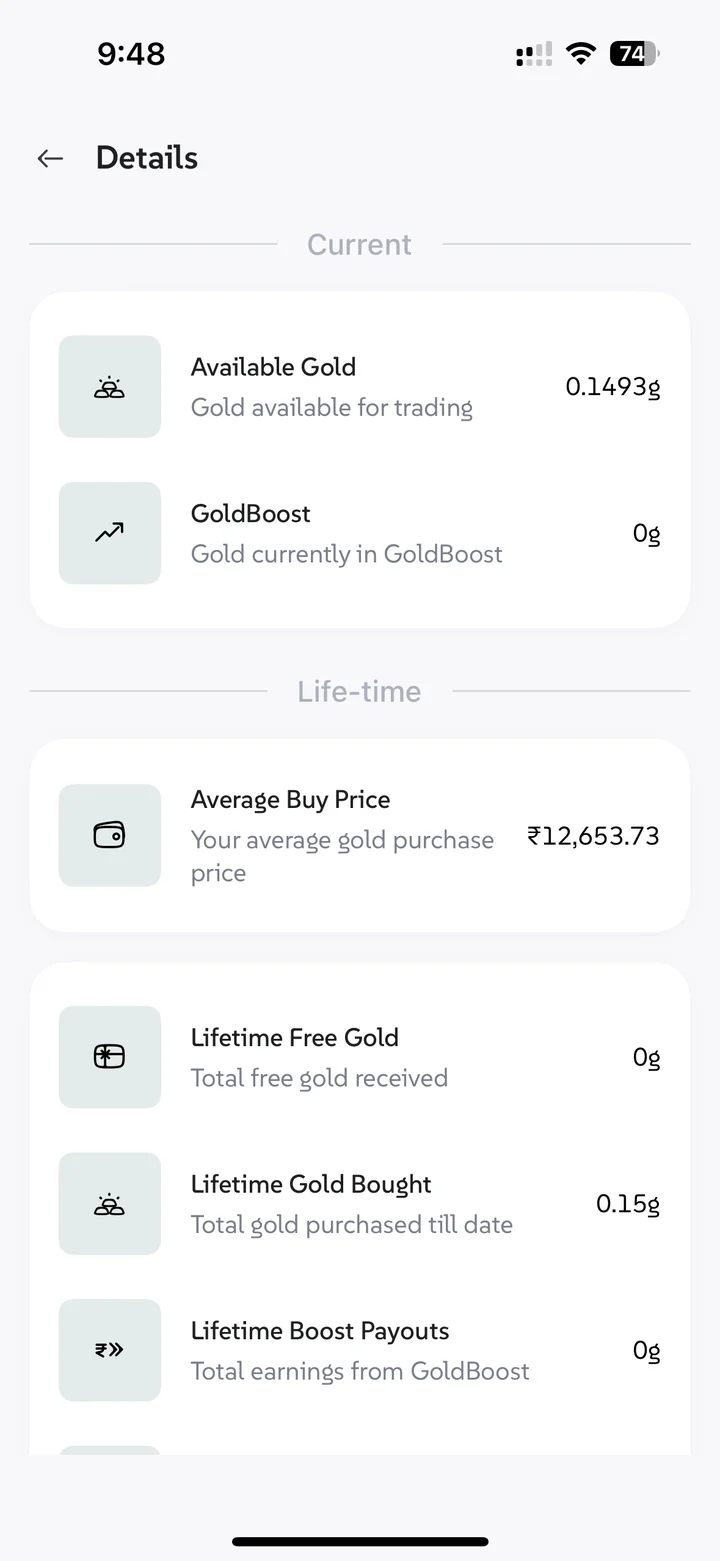
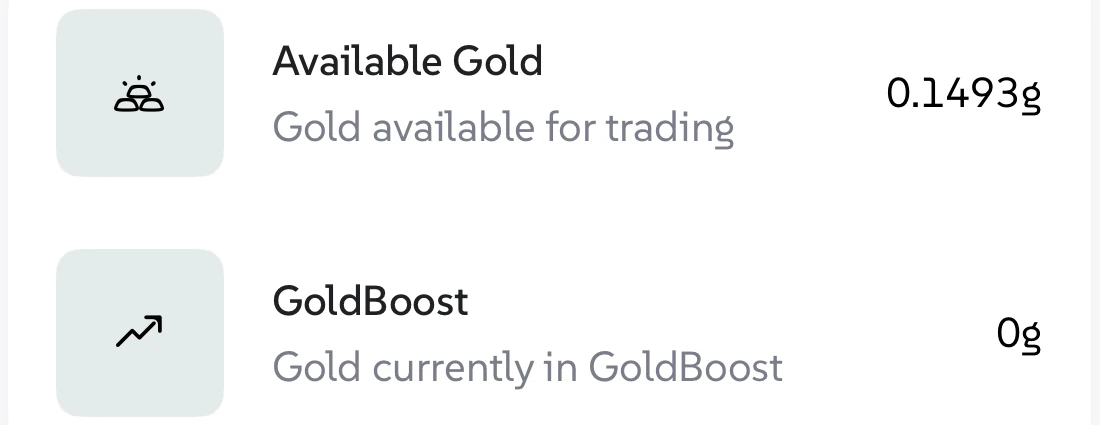
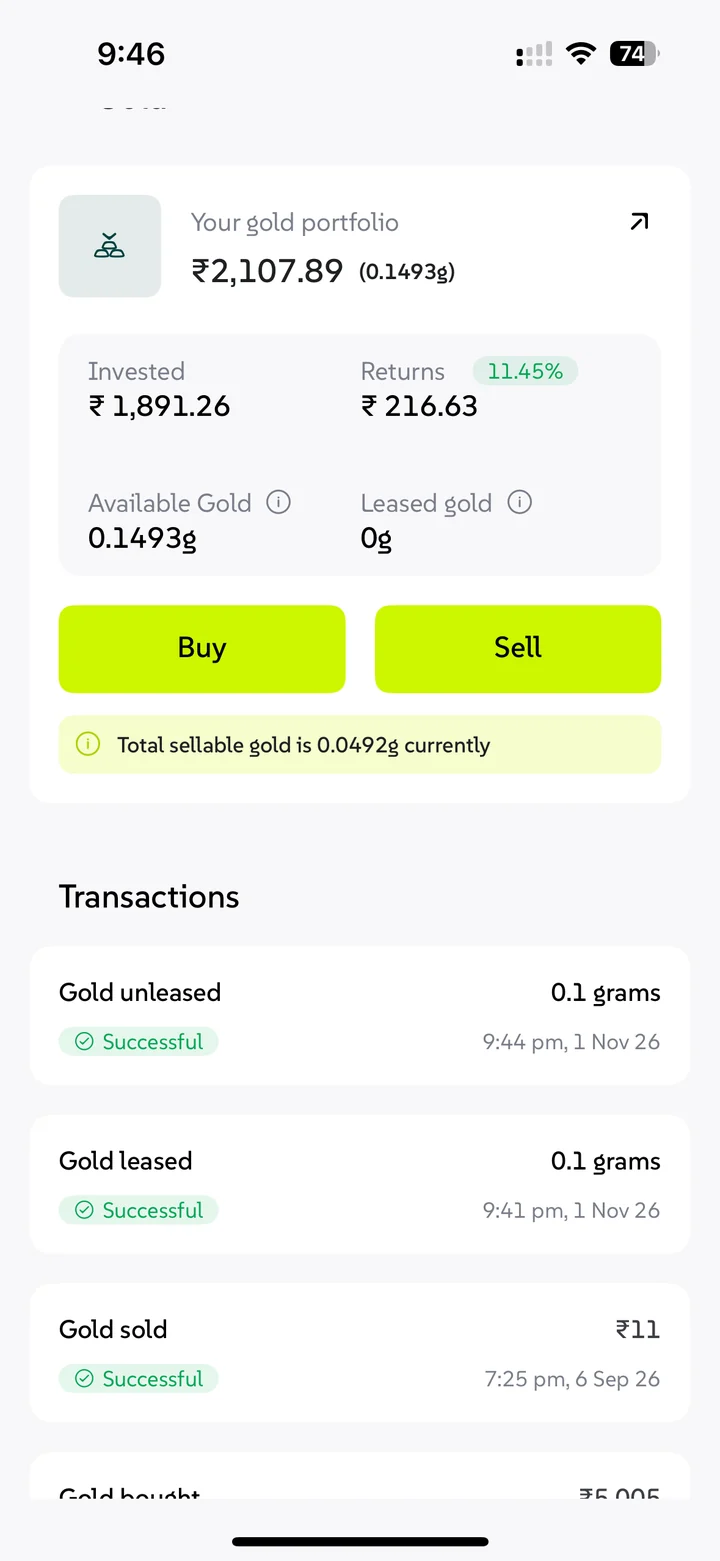
“Track portfolio” leads to a balance split into Available (sell now) and GoldBoost (leased, earning). Tap through it below.
- Lease successful
- Portfolio
- Lease details
- End lease
- Sell
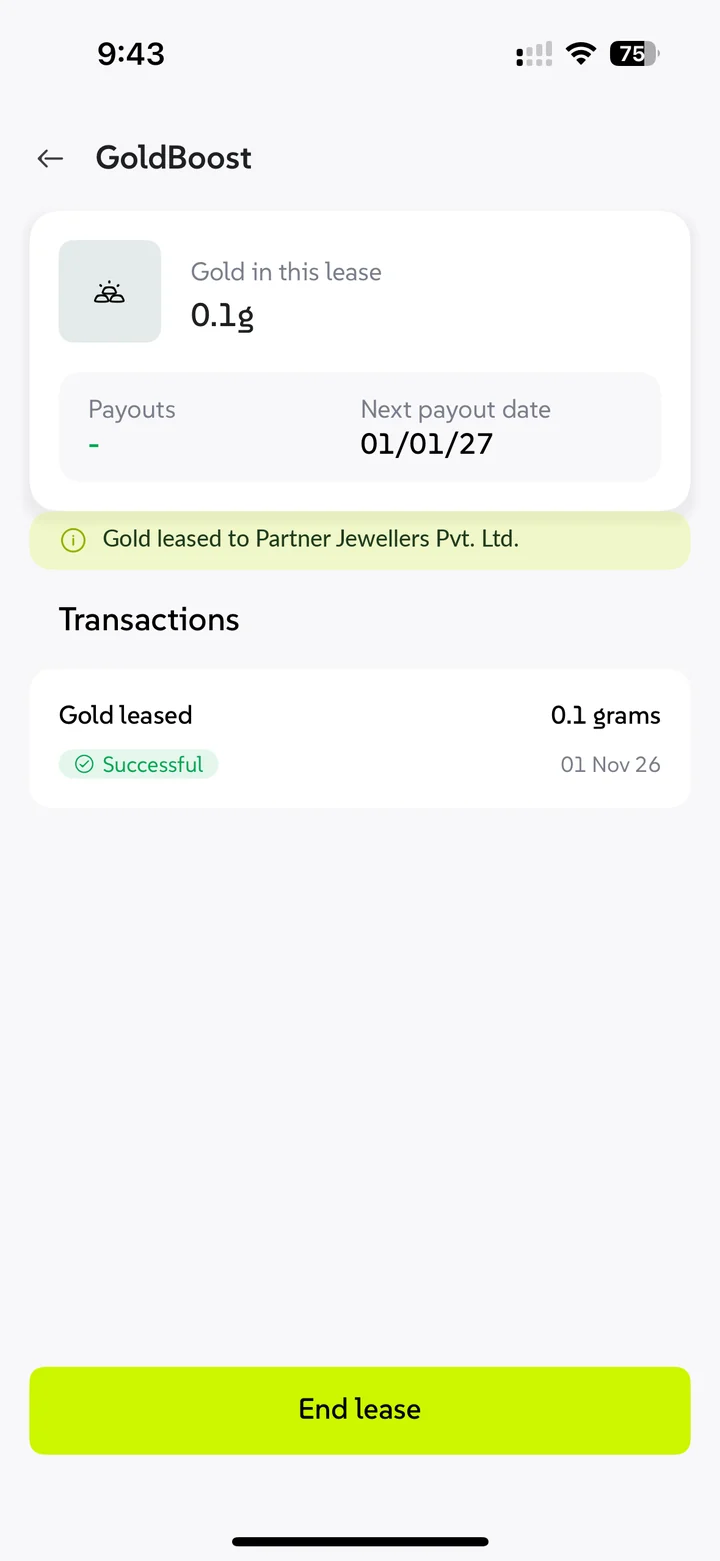
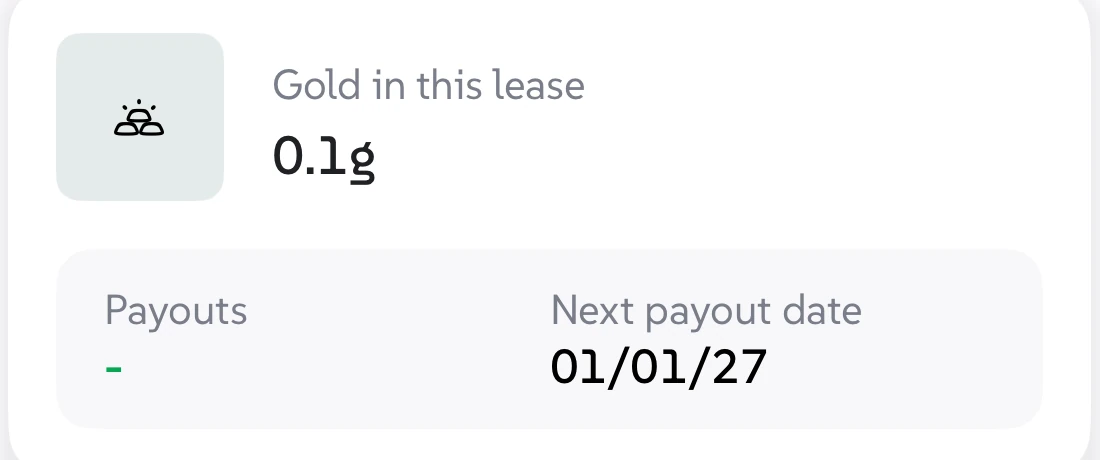
Extra gold builds up every month, and the payout lands after 2 months.
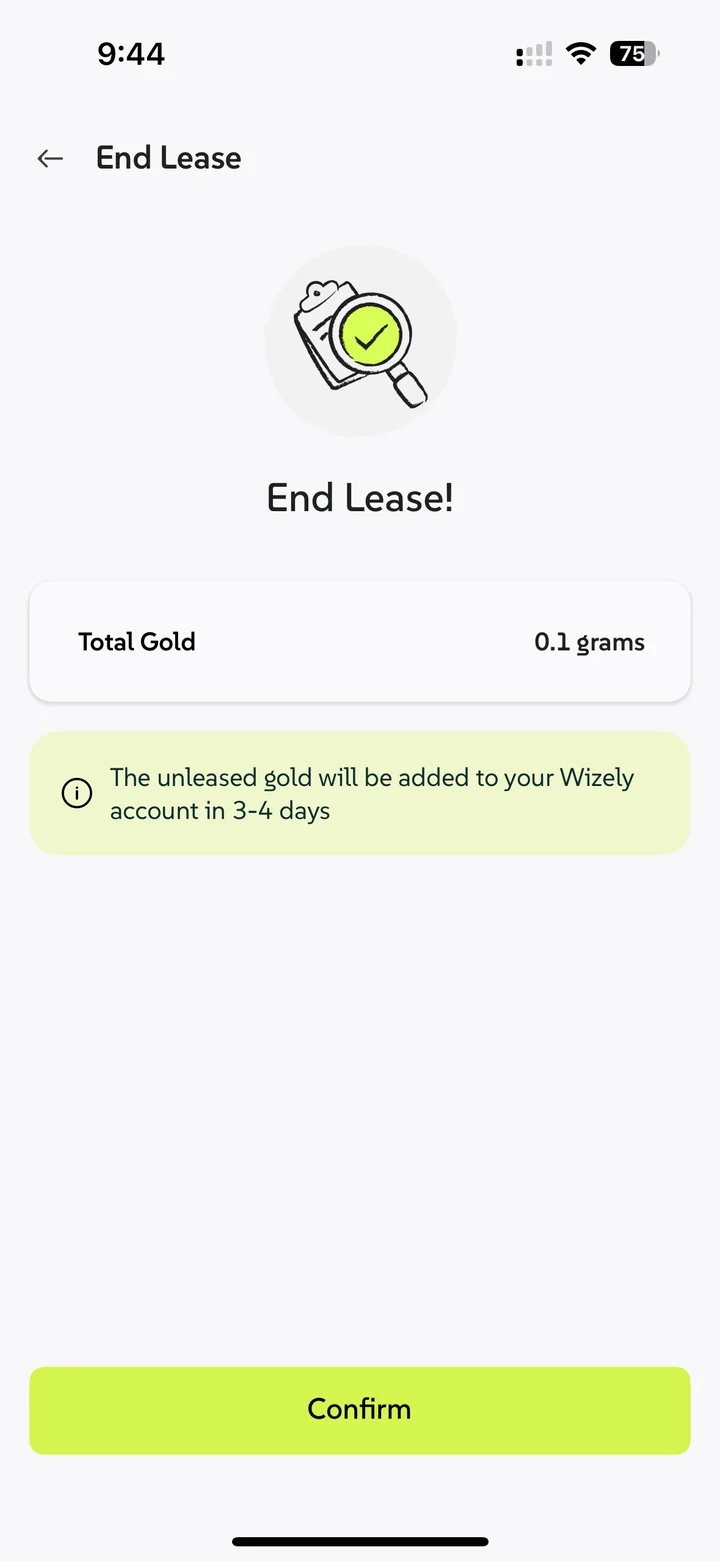
End the lease, wait a few days, then sell
Leased gold can’t be sold directly. End the lease, the jeweller returns it in 3–4 working days, then sell. We said the wait at every step.

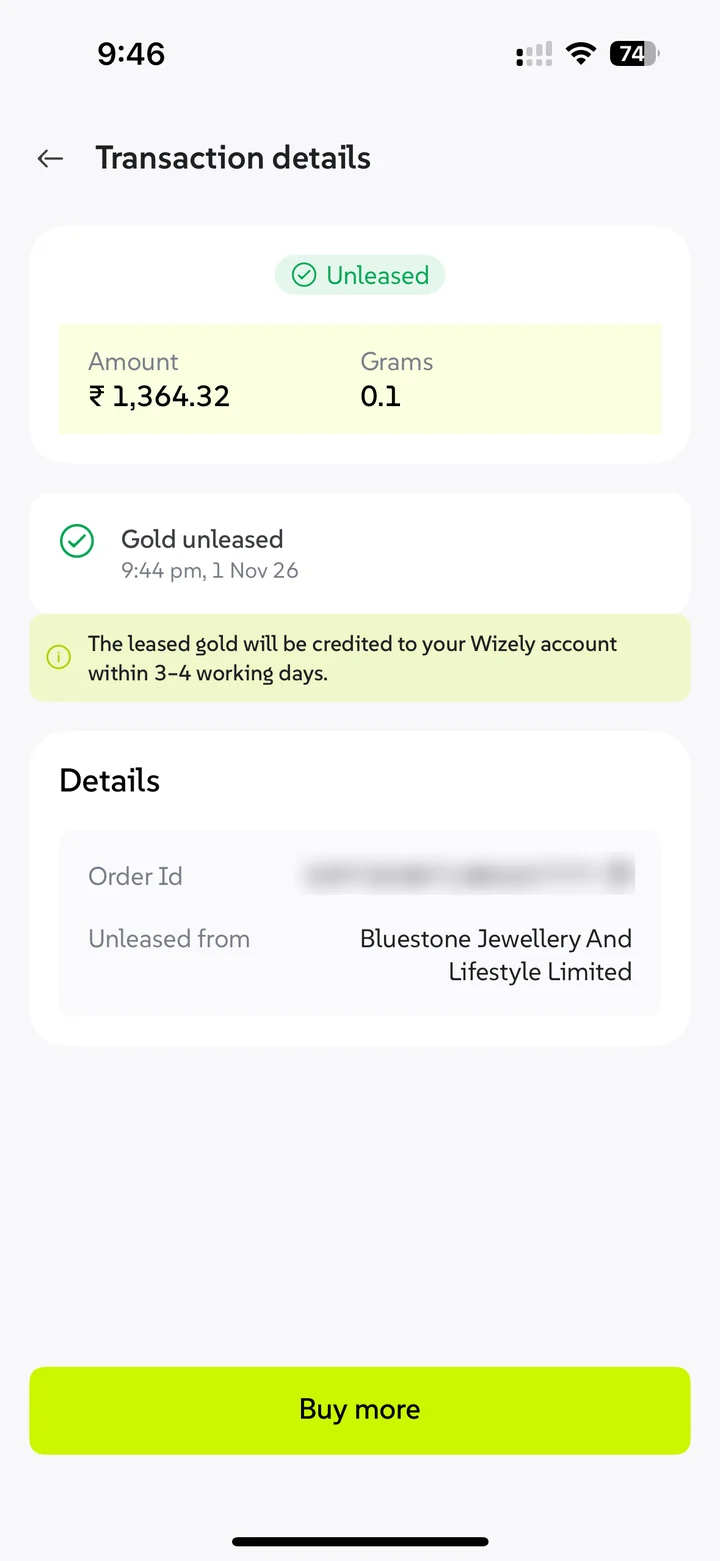
After selling, a clear promise: credited to your bank in 3–4 working days.

It’s with the jeweller, not in your vault. Own 10 g with 5 g leased? You can sell 5 now; for all 10, the jeweller first returns the other 5, which takes 3–4 working days.
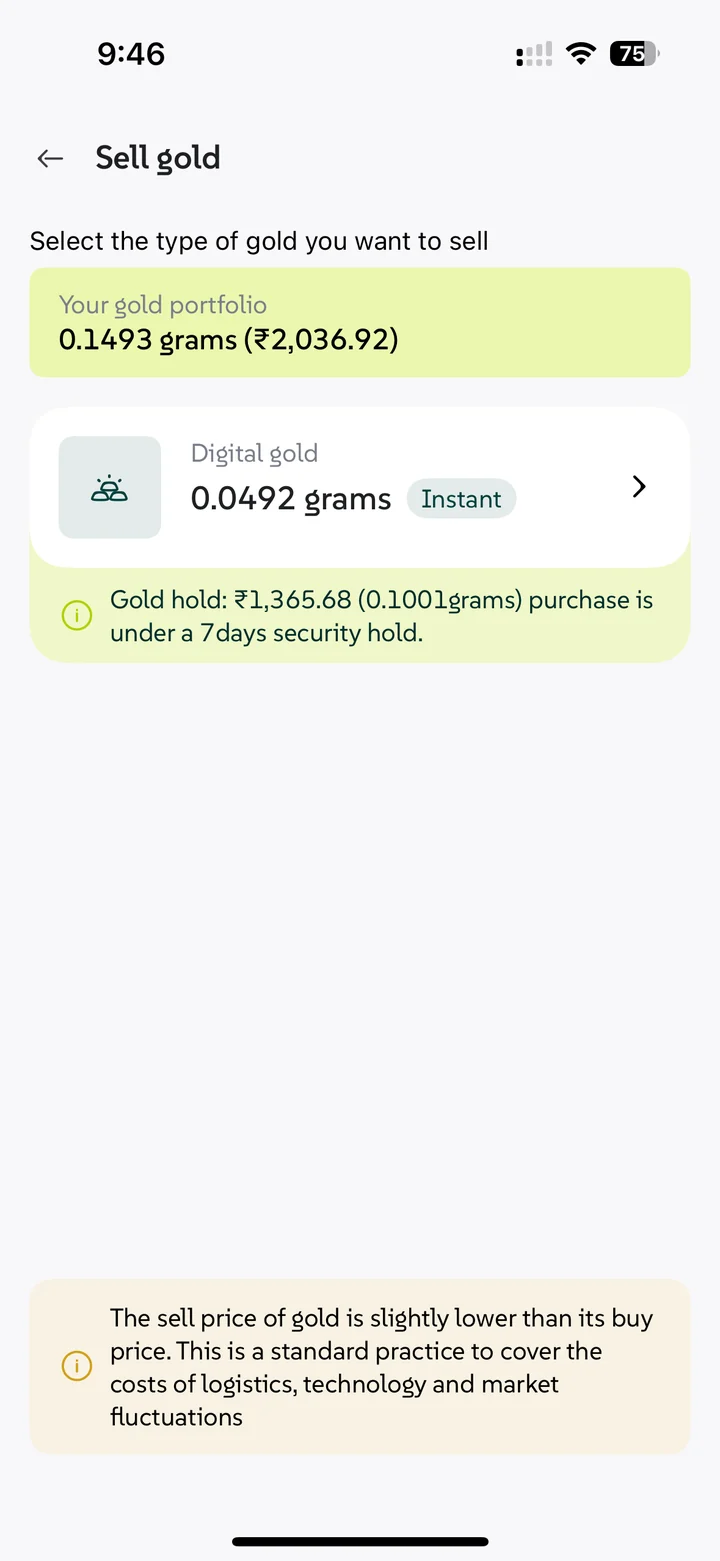
Tapping Sell starts with one question: which gold?
Sell first shows each kind of gold you hold and how long it takes to sell. Two states, depending on your account.
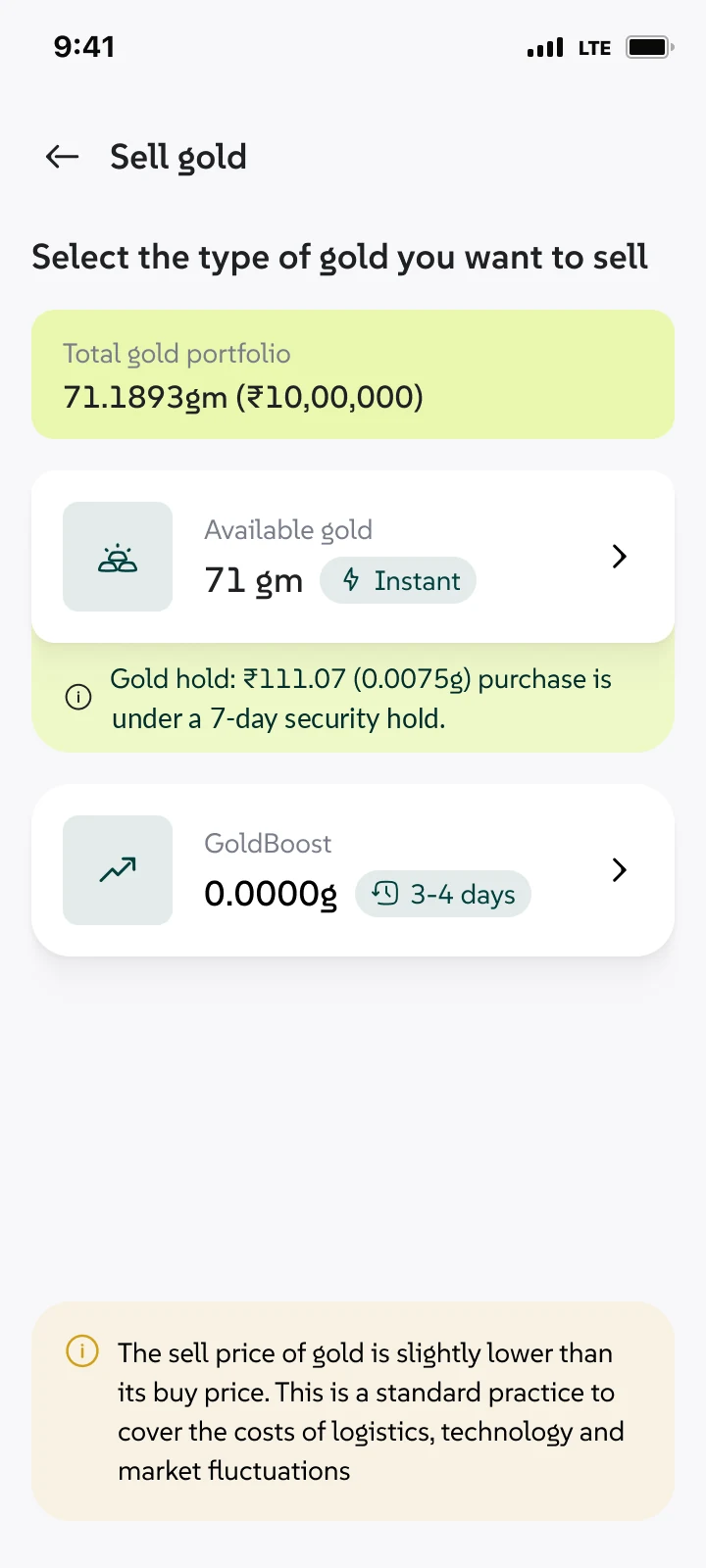
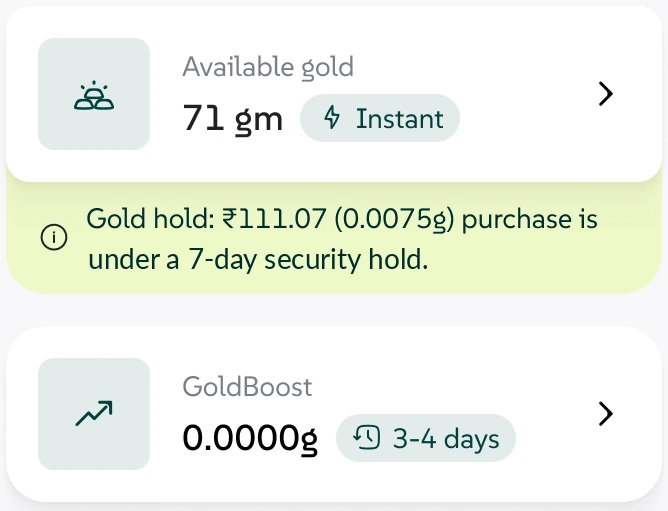
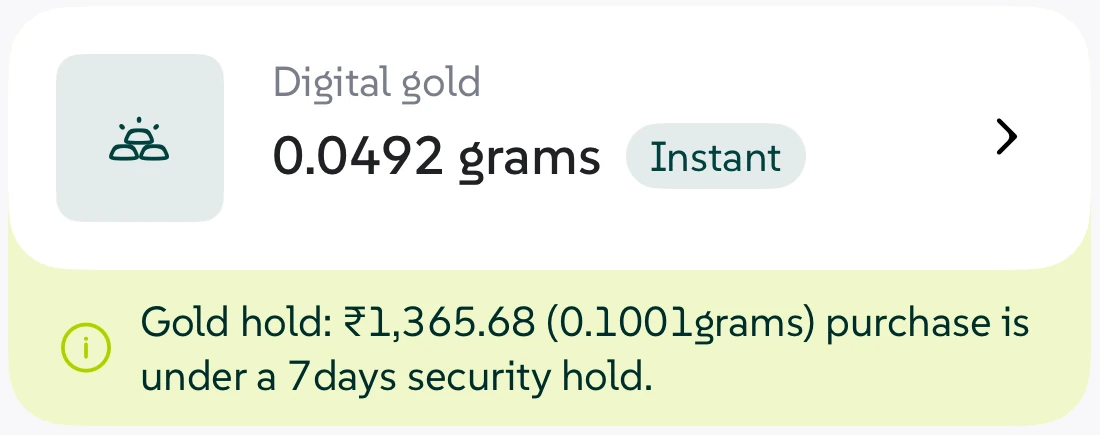
- The time to sell sits on each option, “Instant” or “3–4 days”, before anyone picks
- Gold under a security hold is shown, not hidden: the amount, the grams and the reason
- Leased gold isn’t a dead end. Picking GoldBoost leads straight into ending the lease
- A note below sets expectations: the sell price is slightly lower than the buy price, and why
Handing your gold to someone else needs more than a promise
Every screen had to answer a careful person’s questions: who has my gold, can I prove it, and how do I get it back?
The jeweller is named on the review screen, before any money moves, with their profile one tap away.
Review screenA lease agreement and an invoice to download, right on the success screen.
Lease successful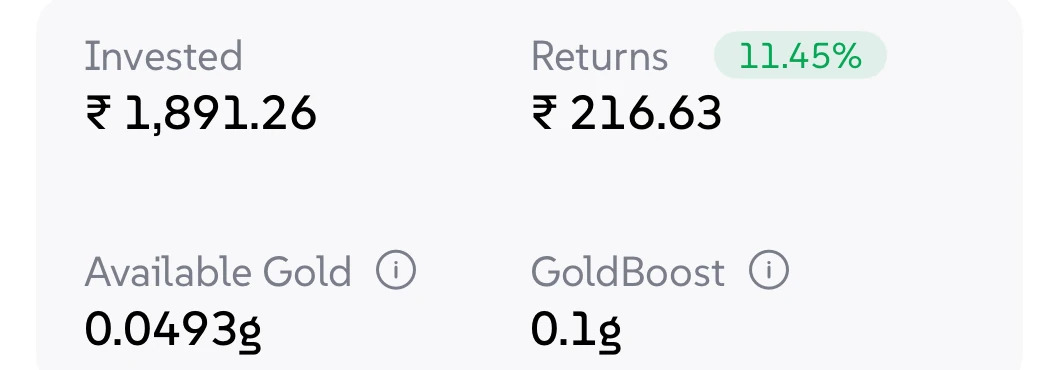
Every balance is split into Available and GoldBoost, so leased gold never looks “lost”.
PortfolioNo lock-in. End the lease anytime, and the 3–4 day wait is said before you confirm.
End lease
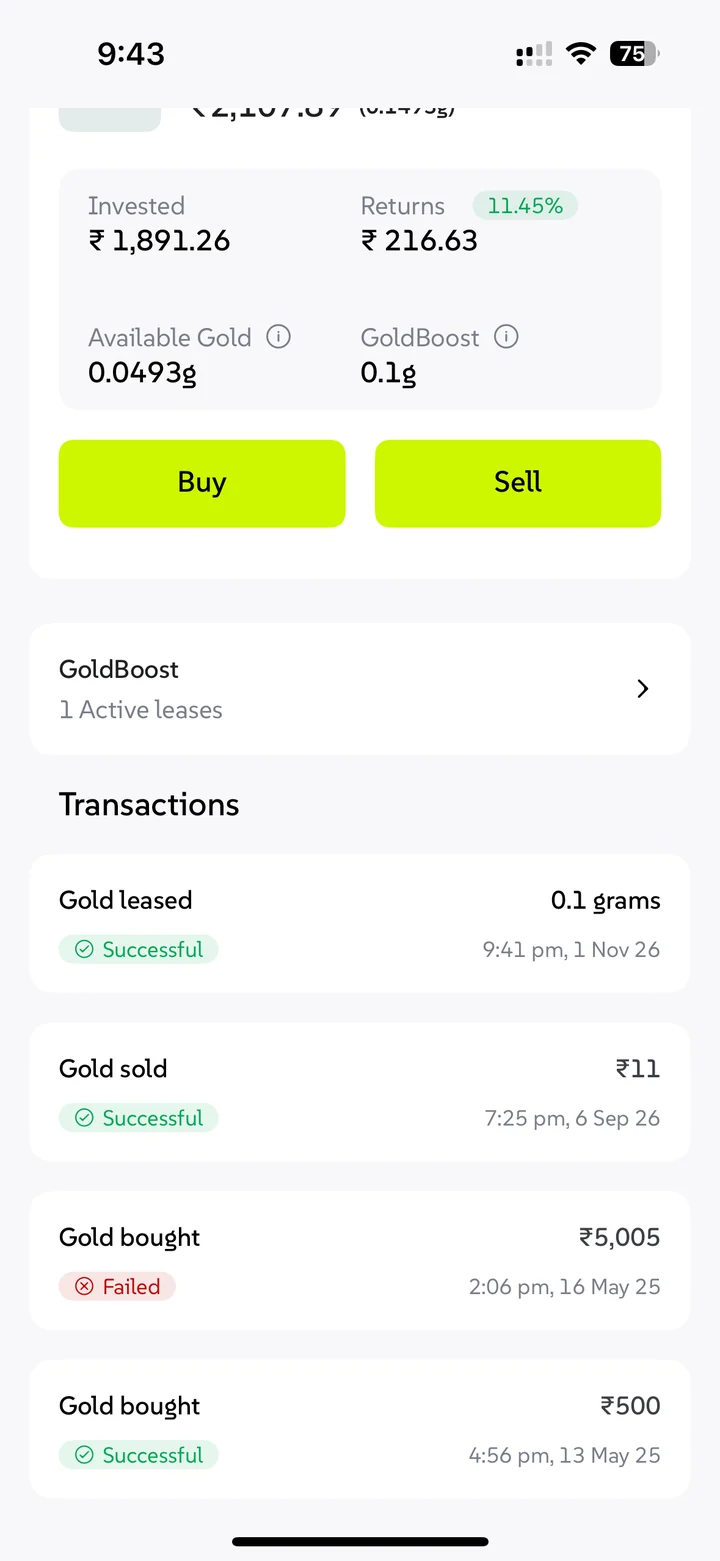
Bought, leased, unleased, sold or failed: each one is in your history with its status.
TransactionsOnly sellable gold is shown, with the reason, like the 7-day hold on new gold.
Sell screenWe say “4% minimum, up to 5%”, not just the best case.
Gold you haven’t leased stays in your vault, ready to sell.
Every wait and every failure says what happens next
The scariest screen is one that says nothing. Every failure and wait gets a clear status and a next step.
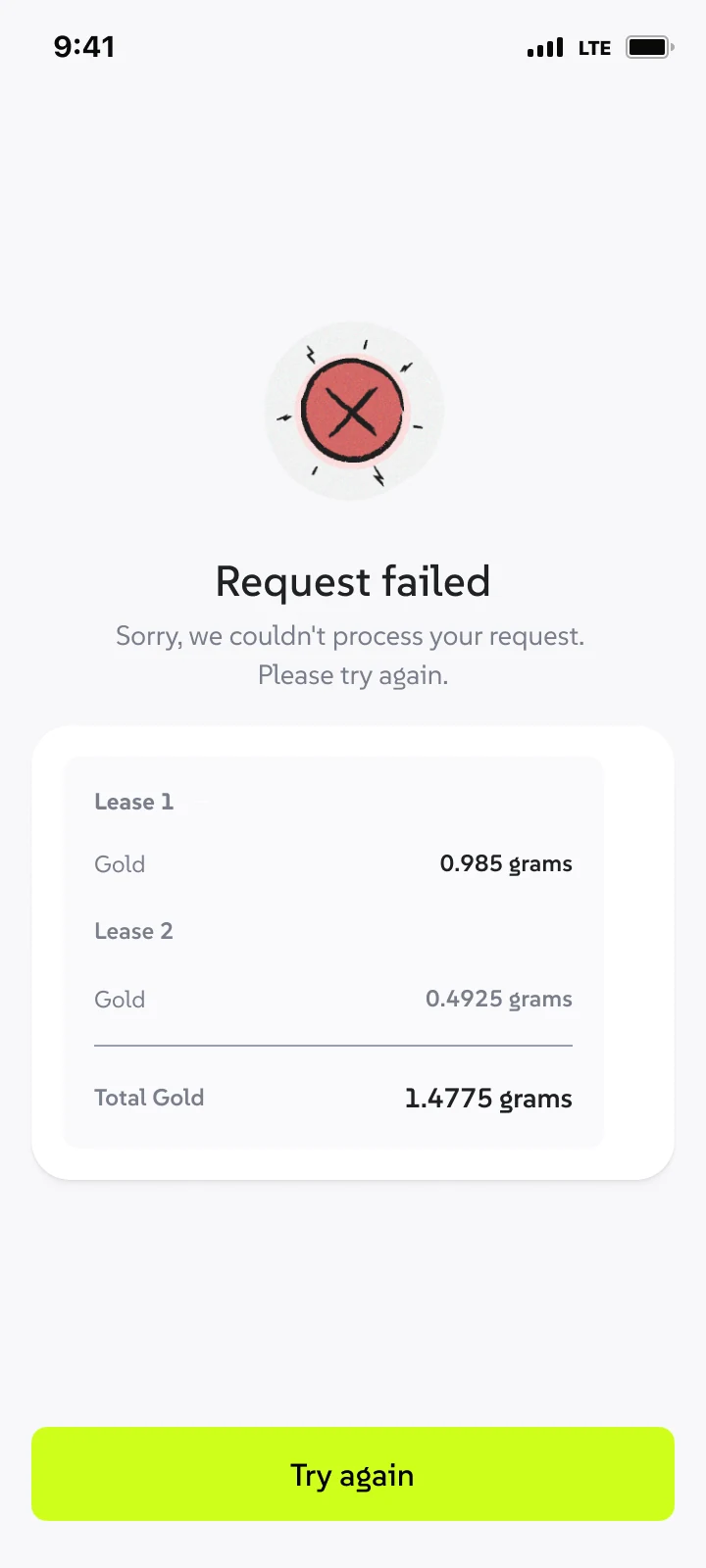
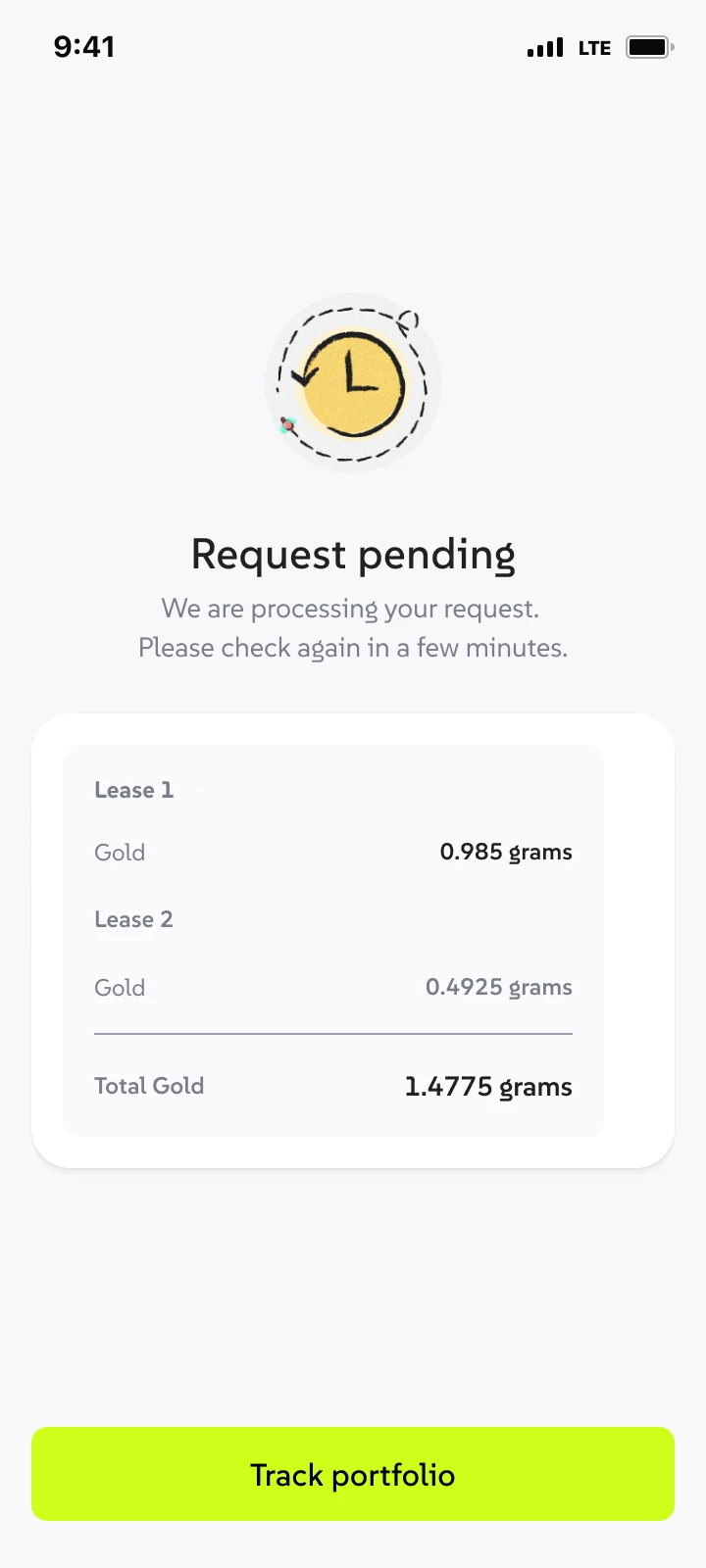
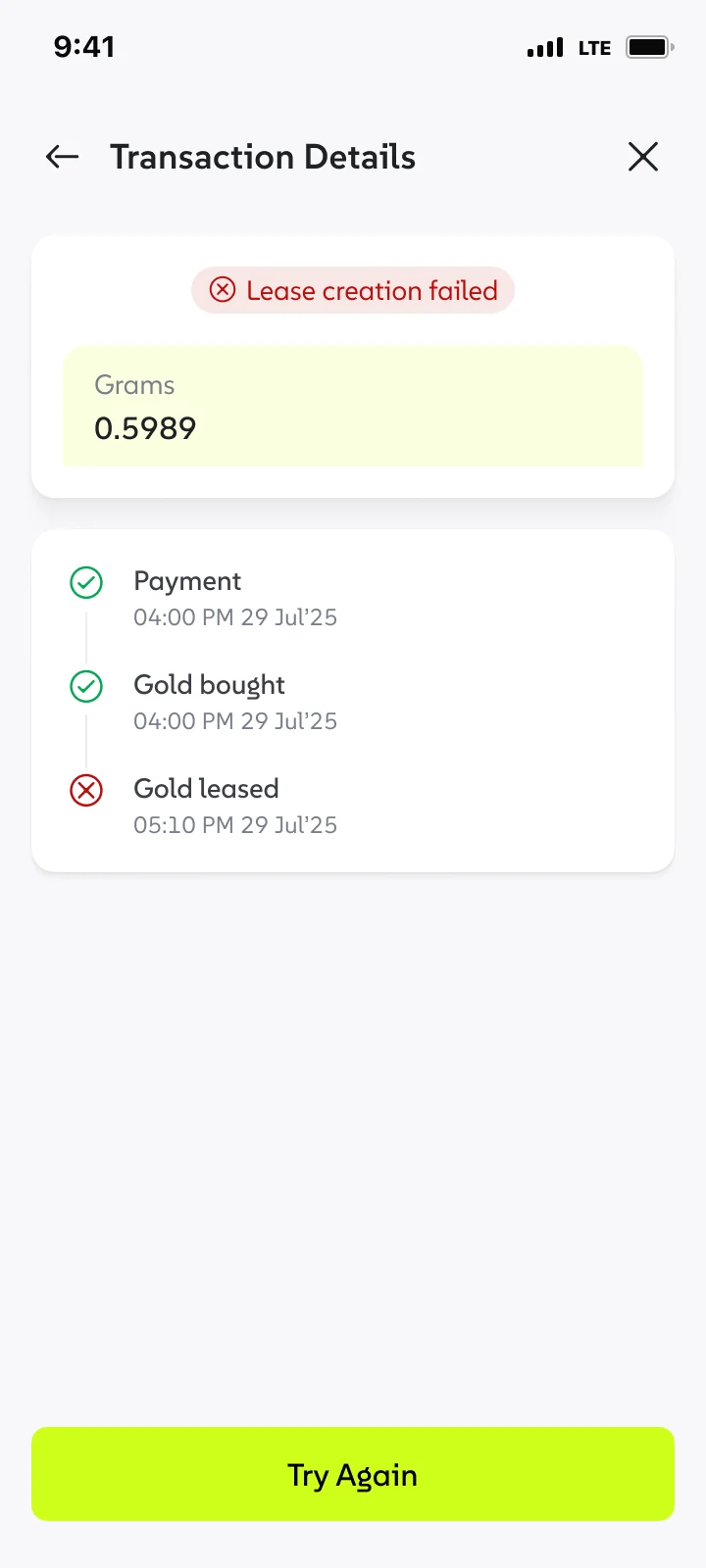
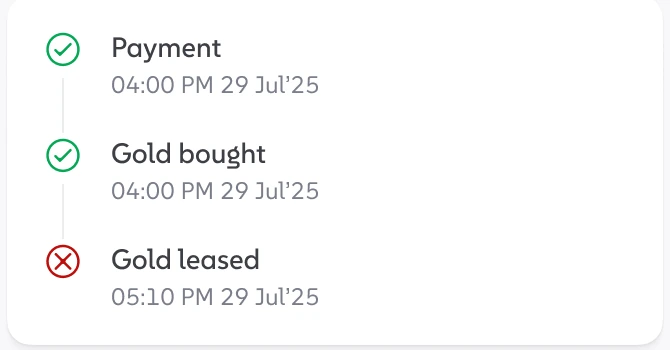
Payment ✓, gold bought ✓, lease ✕ tells people their money is safe as gold; only the lease failed. A plain “Failed” would read as money lost.
Every transaction tells its own story
Transaction details follow the same pattern: a status at the top, a timeline of steps, then who and where.
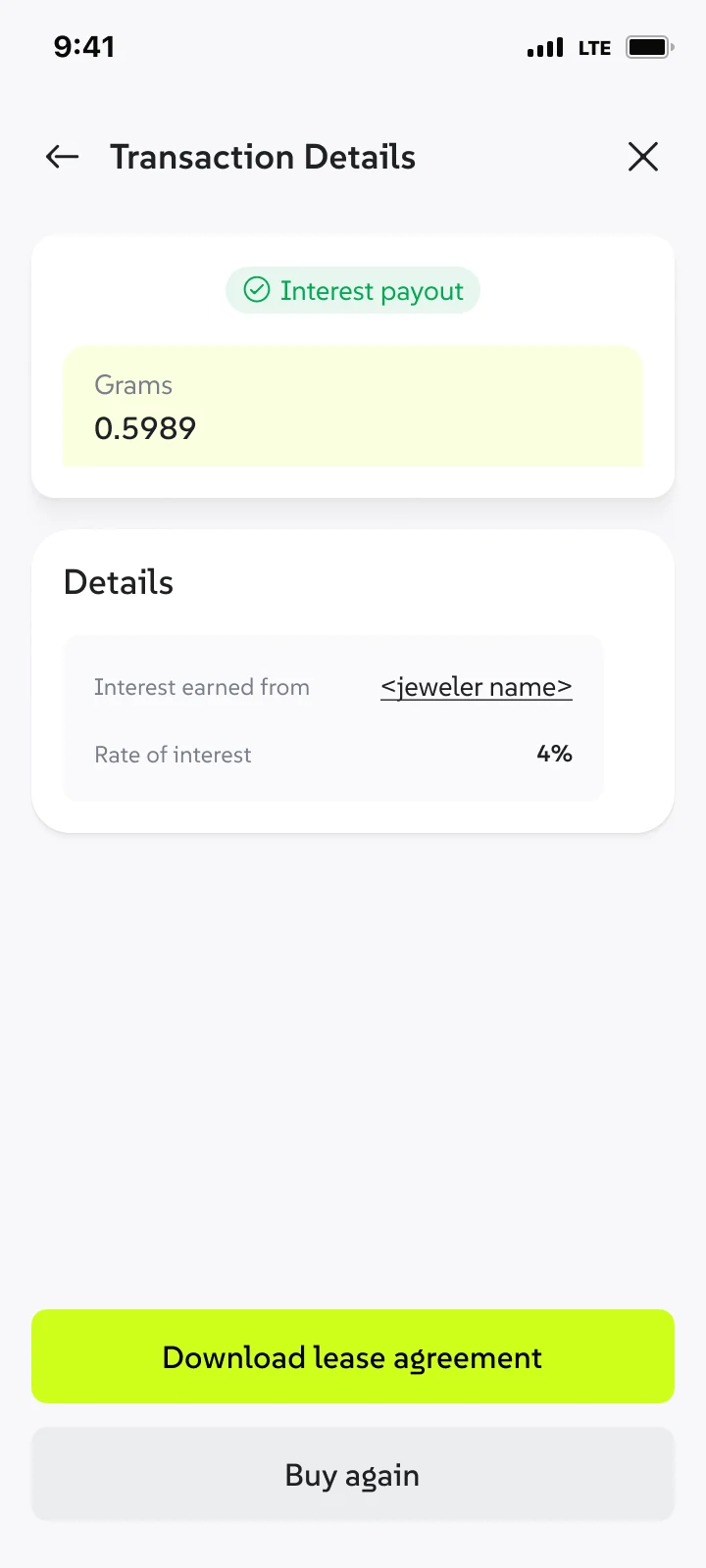
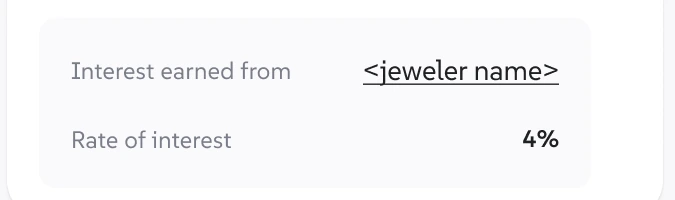
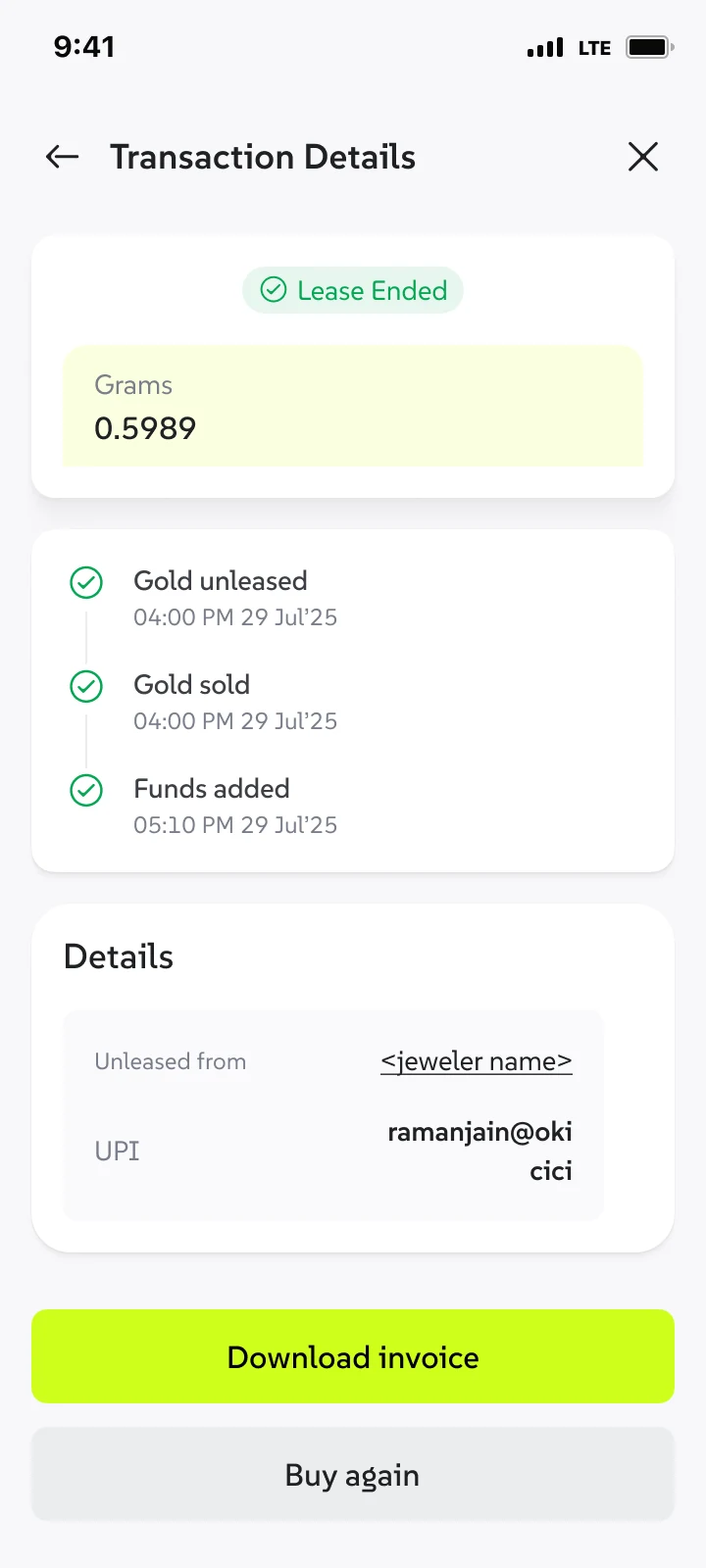
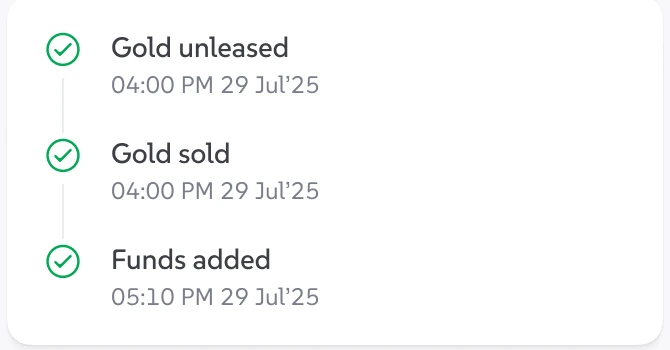
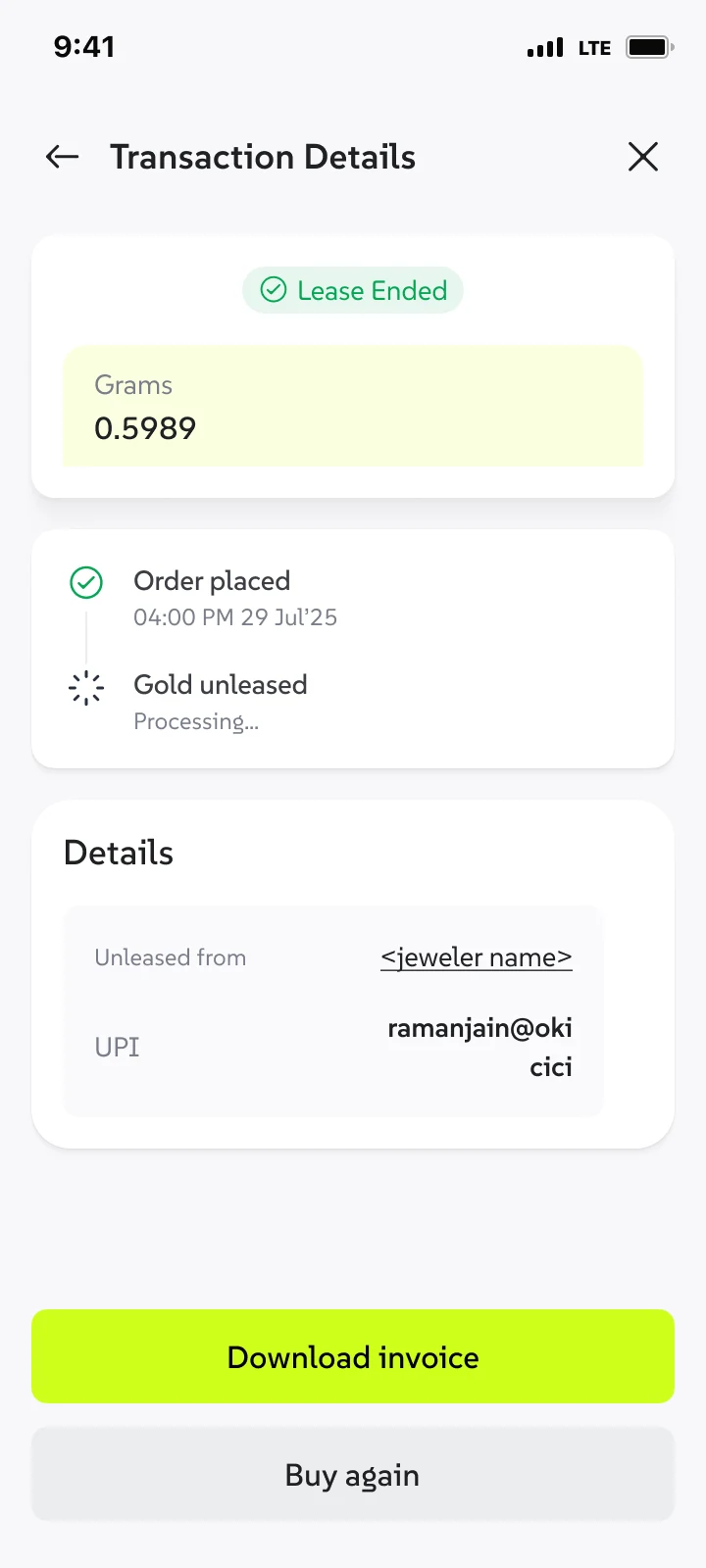
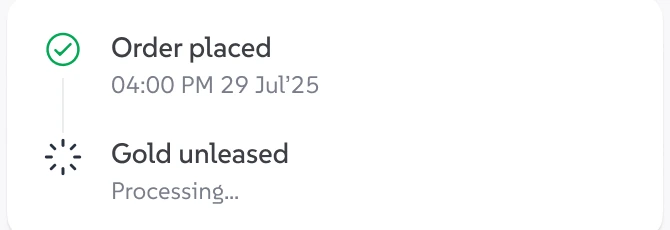
Failures stay in the history, clearly marked, next to the ones that worked.
Most of the gold on Wizely went into GoldBoost
of total portfolio value in GoldBoost. This is by value, not 68% of customers choosing to lease: GoldBoost was ticked by default.
Buy conversion, up 2 percentage points within 6 months of launch. Adding GoldBoost to the buy flow didn’t slow buying down.
The trade-offs we made, and what I'd push for next
Default-on
The business chose to tick GoldBoost by default. I disagreed, and designed guardrails instead: visible benefit, easy untick, the jeweller named before paying, no lock-in.
The 3–4 day wait
Leased gold is with the jeweller, so it has to come back before it can be sold. Design couldn't change that, so we said it before, during and after ending a lease.
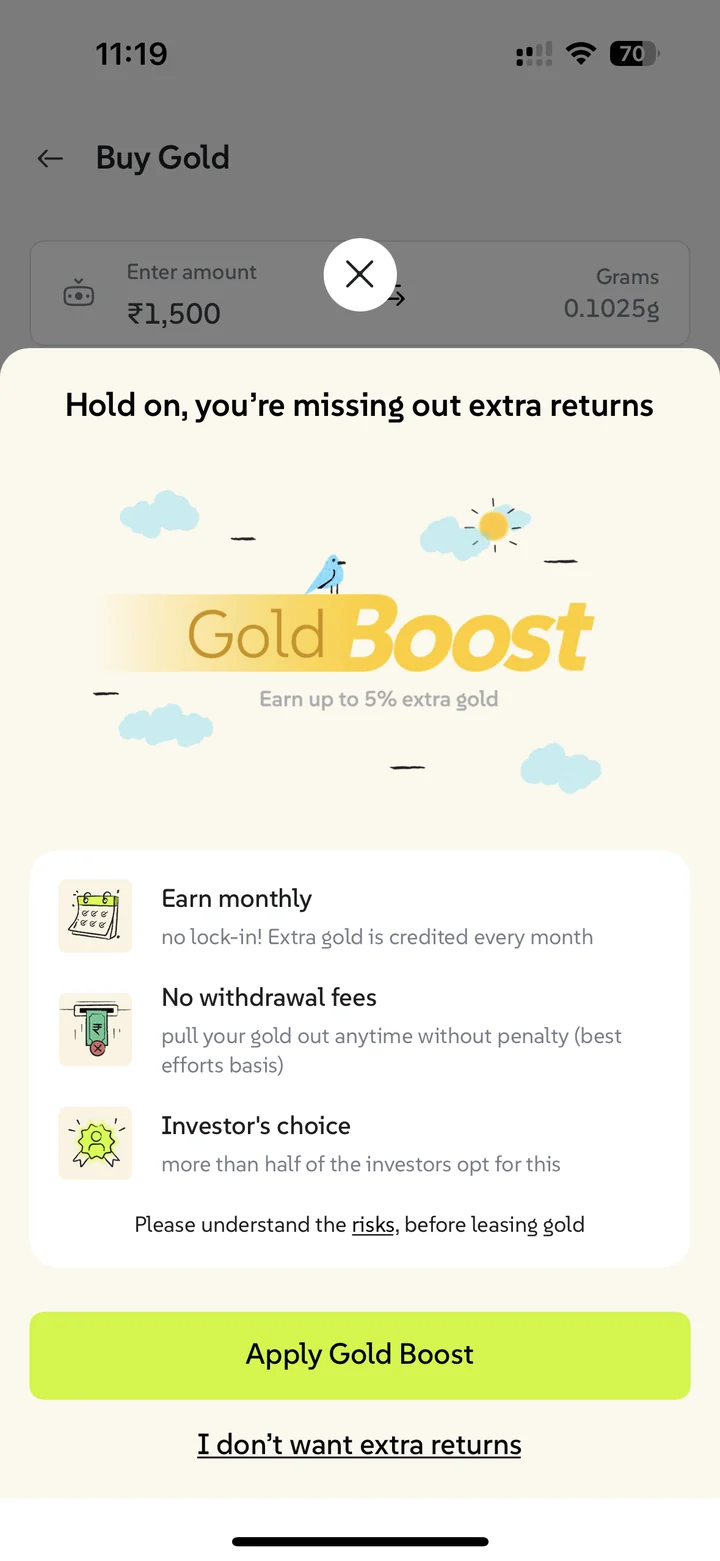
The “I don’t want extra returns” wording
A team decision, mine included, to make people pause before opting out. It leans on confirmshaming, the same family as default-on. In hindsight, I’d A/B test a neutral “Continue without GoldBoost”. If adoption holds, the honest version should win.
A default isn’t a decision. The 68% is real, but I can’t tell how much of it is choice and how much is the tick we put there. Next time I’d launch with an opt-in group alongside the default, so we measure real intent from day one, not just adoption.
No post-launch complaints or support issues were reported.
There's more behind this one
Some screens and numbers are under NDA. I'm happy to walk you through the full project on a call.
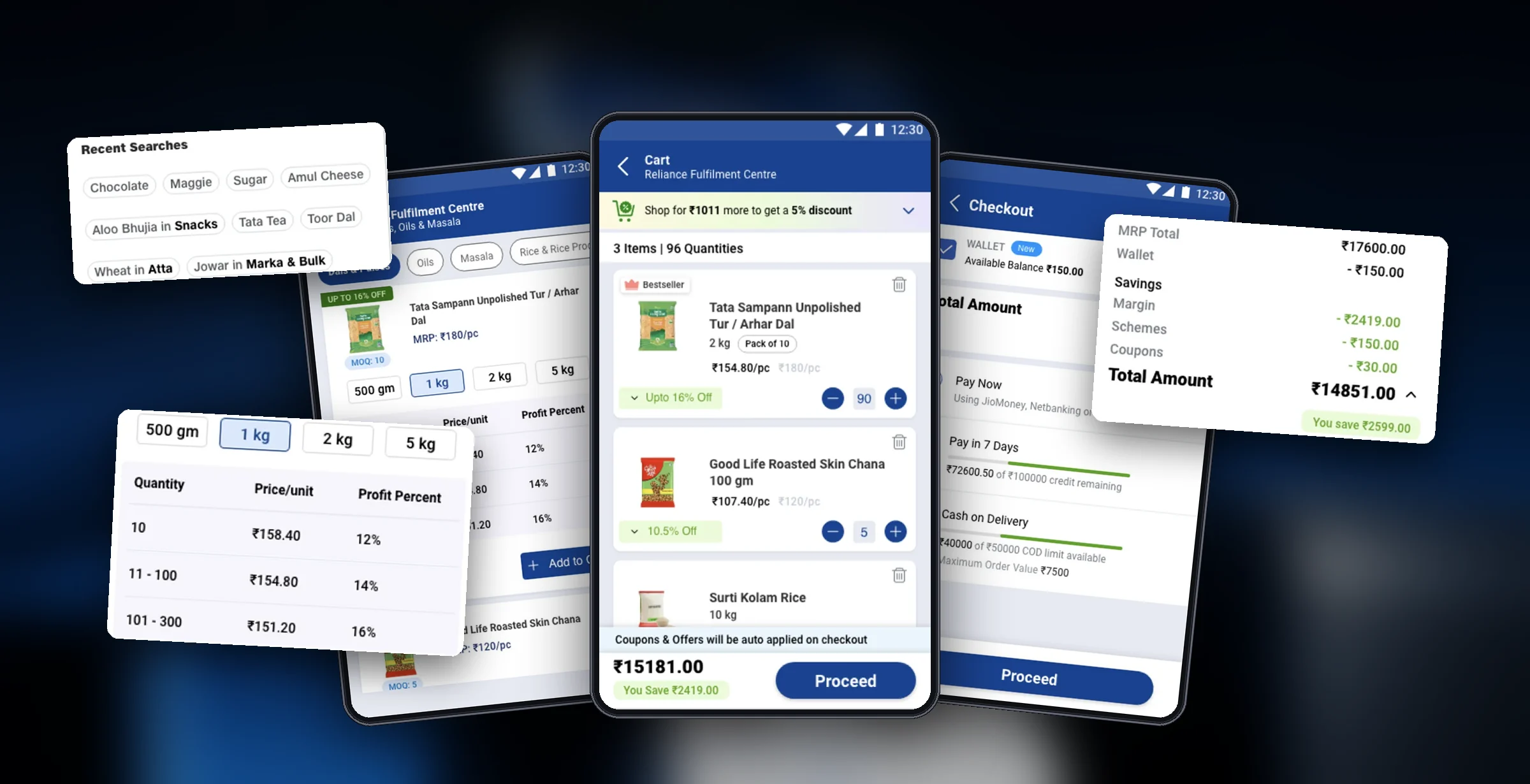
 JioMart Partner·B2B Retail & E-Commerce
Driving a 95% Increase in Daily Orders by Streamlining Merchant Ordering
Owned end-to-end UX analysis, information architecture, and core flow redesign across Search, PLP, Cart, and Checkout for kirana store owners.